


An Alteryx app is an interactive workflow with parameters for end users. A chained app is necessary when the filters within the app depend on each other, requiring multiple apps for the information to reload properly. In this blog, I'll be walking through how I made an app using park amenity data from Trust for Public Land (source).
Making a working flow
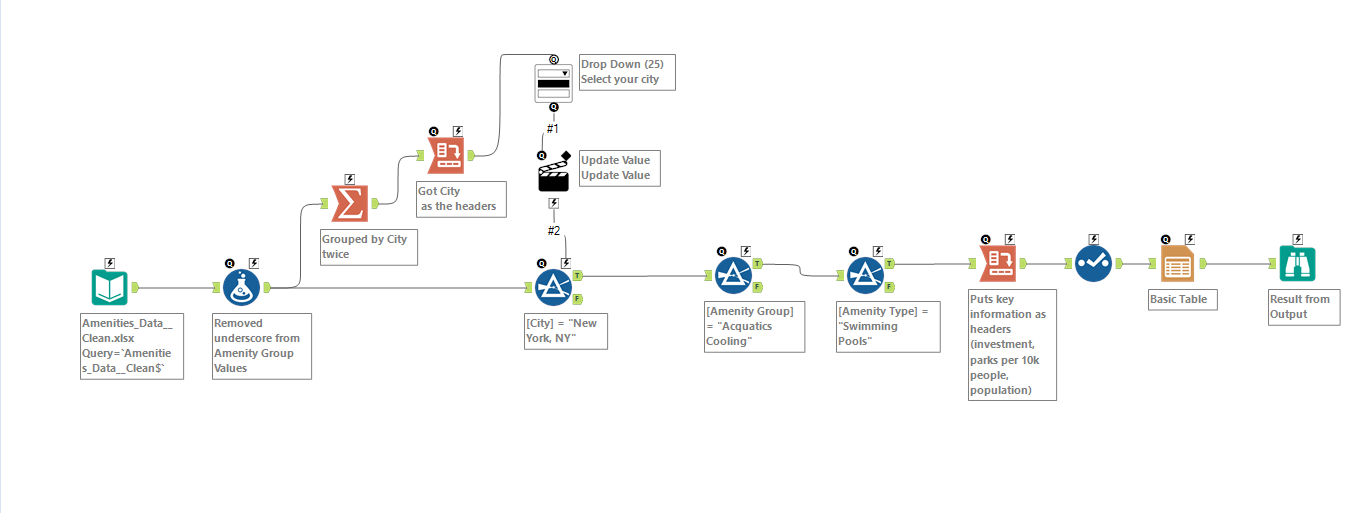
Before I started building the app, I ensured that my workflow was functional (see below). A working workflow is the foundation to any Alteryx app.

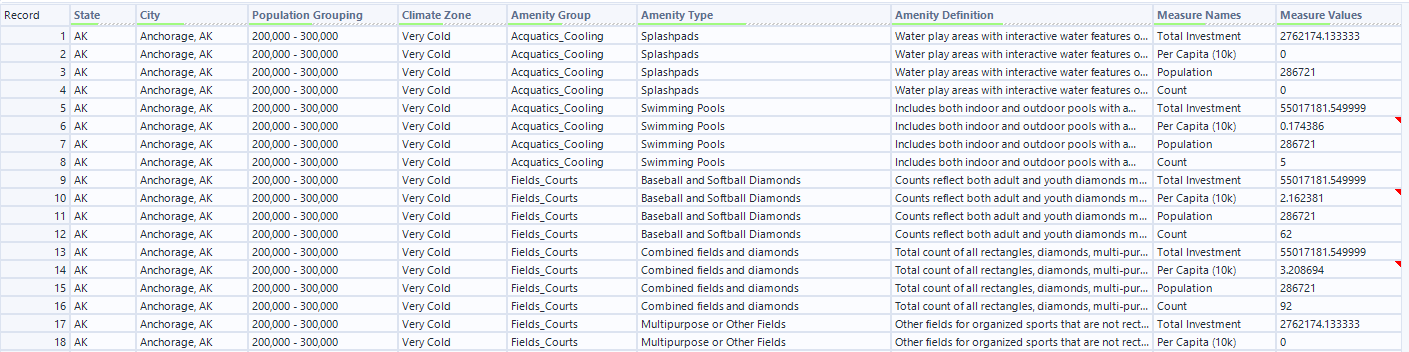
To build this workflow, I first inputted the park amenity data. This data looks at population, climate zone, amenities, total investment, and per capita (10k) for parks in different cities and states (see below for a sample of the original dataset).
The way I want the app to work is for the user to select the desired city, amenity group and amenity type. In other to lay the foundation for the app, I added a filter step based on these columns, with New York, Aquatics Cooling, and Swimming Pools as the default values. Afterwards, I used a cross tab tool to make the measure names (Total Investment, Per Capita (10k), Population, and Count) the headers. I then used the select tool to rename columns, and a report tool to make the final product more reader friendly (see below for the output).

Now, time to make the app!
Building the base app
The first tool I set up was a Drop Drown tool from the interface menu (see below).
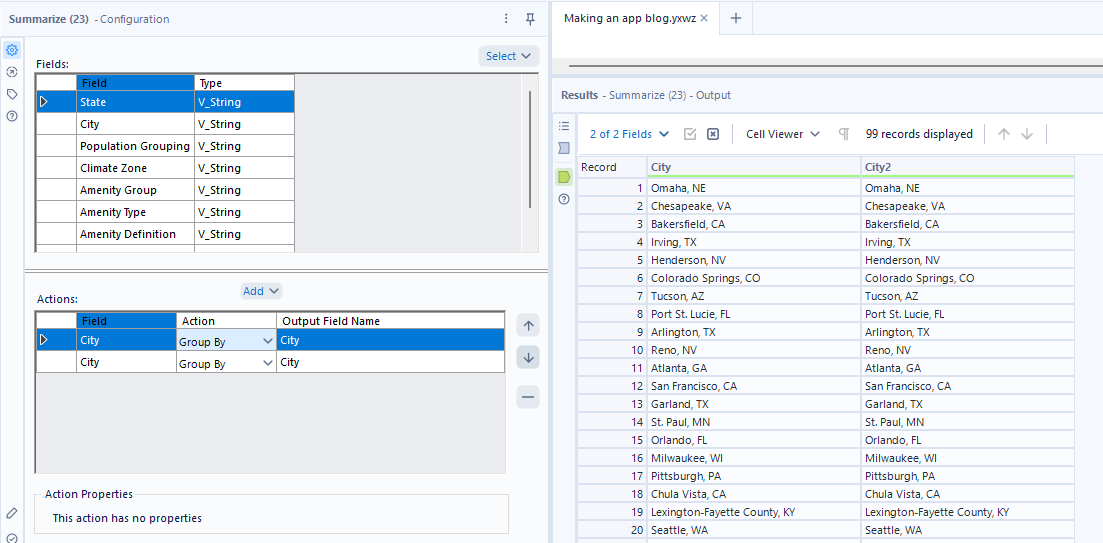
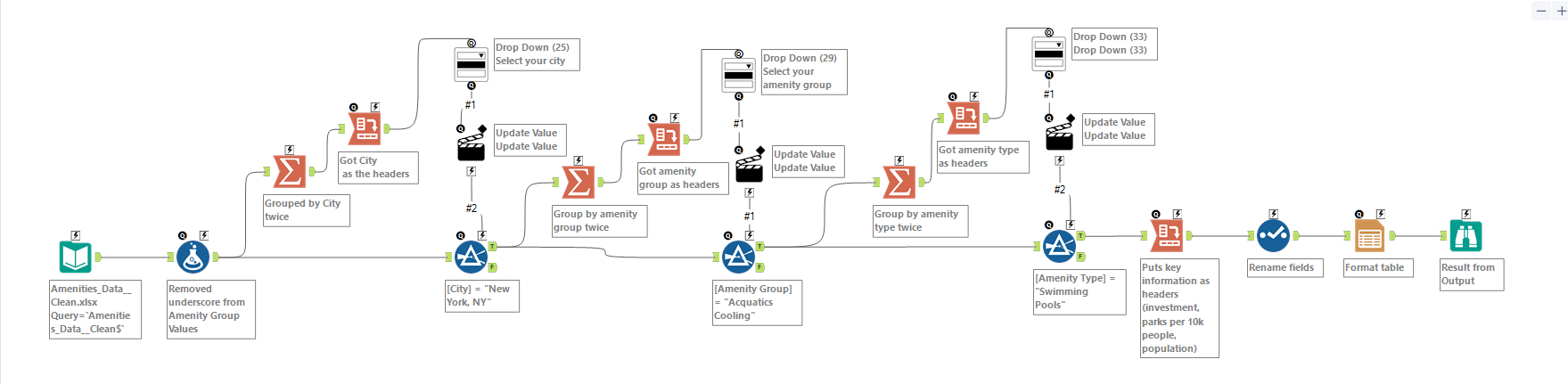
The first step was getting the data to the format I wanted it. For the Drop Down tool connecting to the city filter, I needed the city values as the headers. To achieve this, I used the Summarize tool to group city twice (see below).
And then I used the Cross Tab tool to make my desired headers.
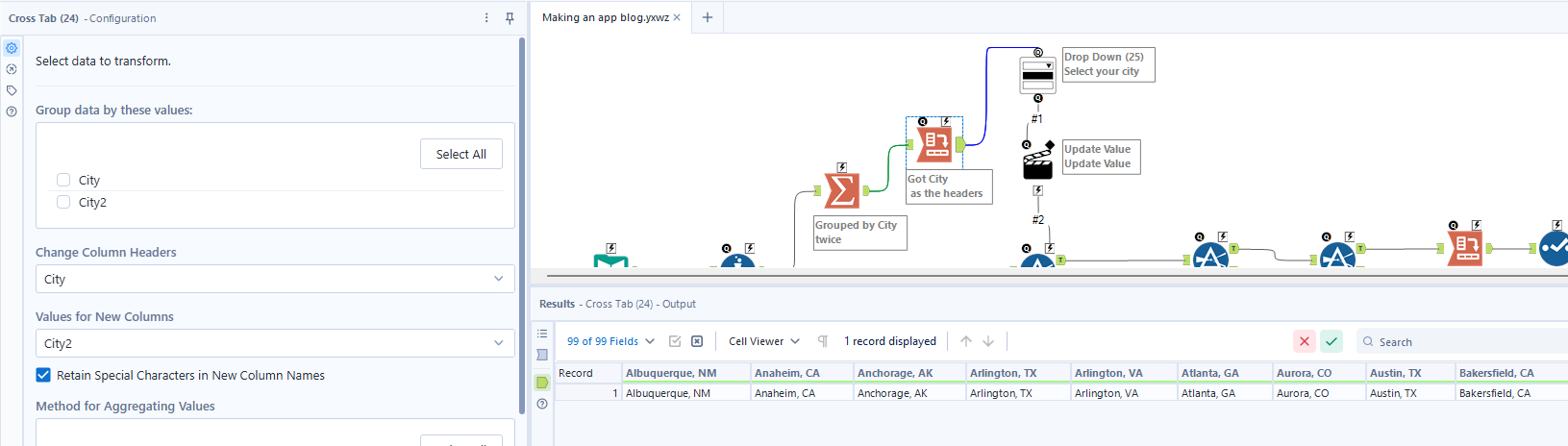
Then, I could configure the tool to use fields from the table I just used the Cross Tab tool on.
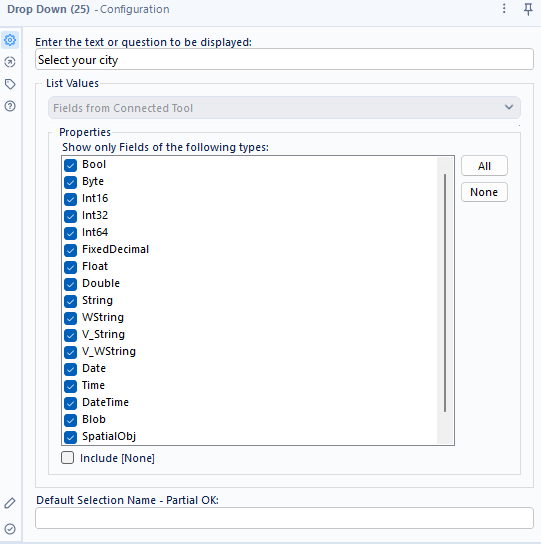
*Note: an issue may arise if the data type connected to the Drop Down tool differs from the one connected to the filter.
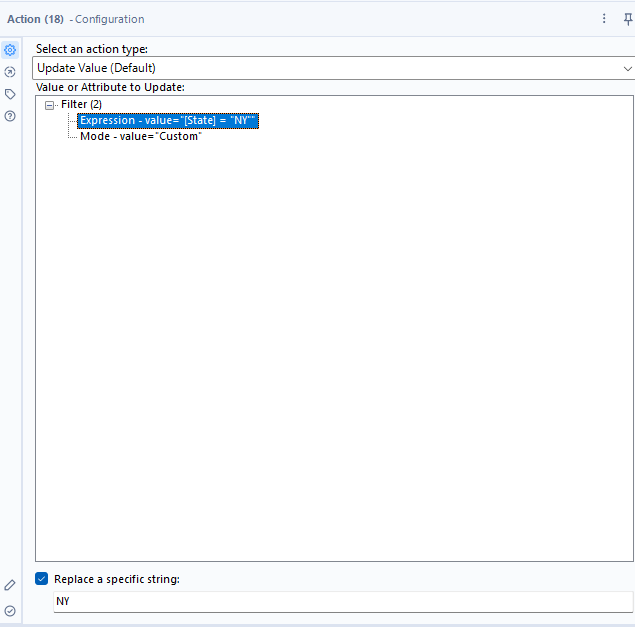
Next, I clicked on the action tool, selected the expression I want to be affected by the Drop Down tool (the "[State] = "NY" "), and replaced the specific string containing the city (see below).
I then repeated these steps for the other filters, testing it occasionally by running the app.
Making the chained apps
Because the city filter affects the amenity group filter, and amenity group affects the amenity type options presented, I needed three apps to work together. The first chained app is the one with the city filter (see below)
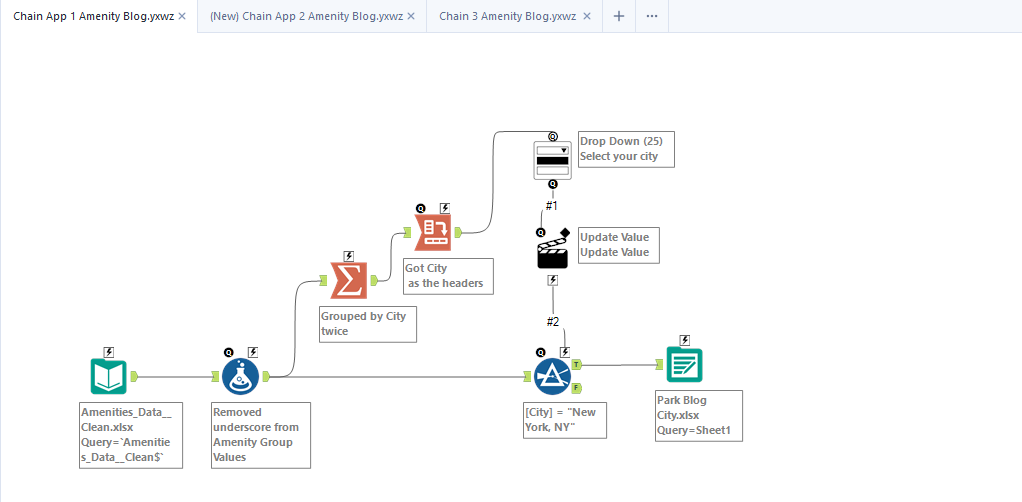
This is essentially just the first part of the base app, now with it's own output just for the city results. On success, this app will run the second chain.
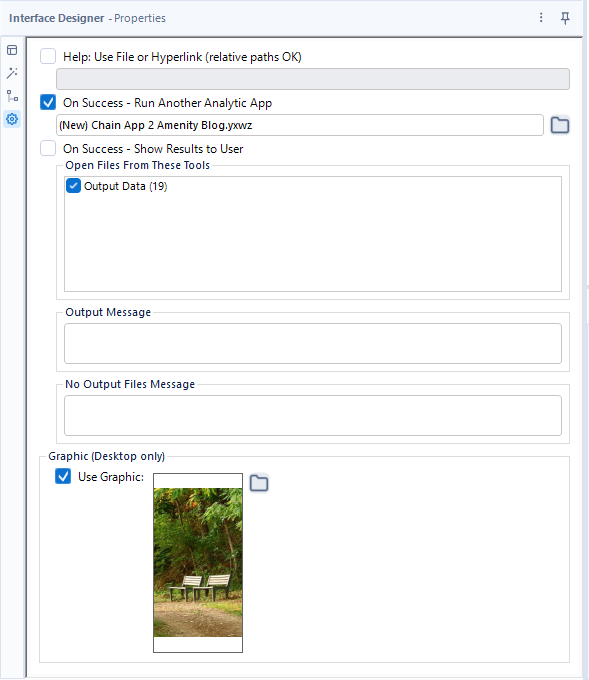
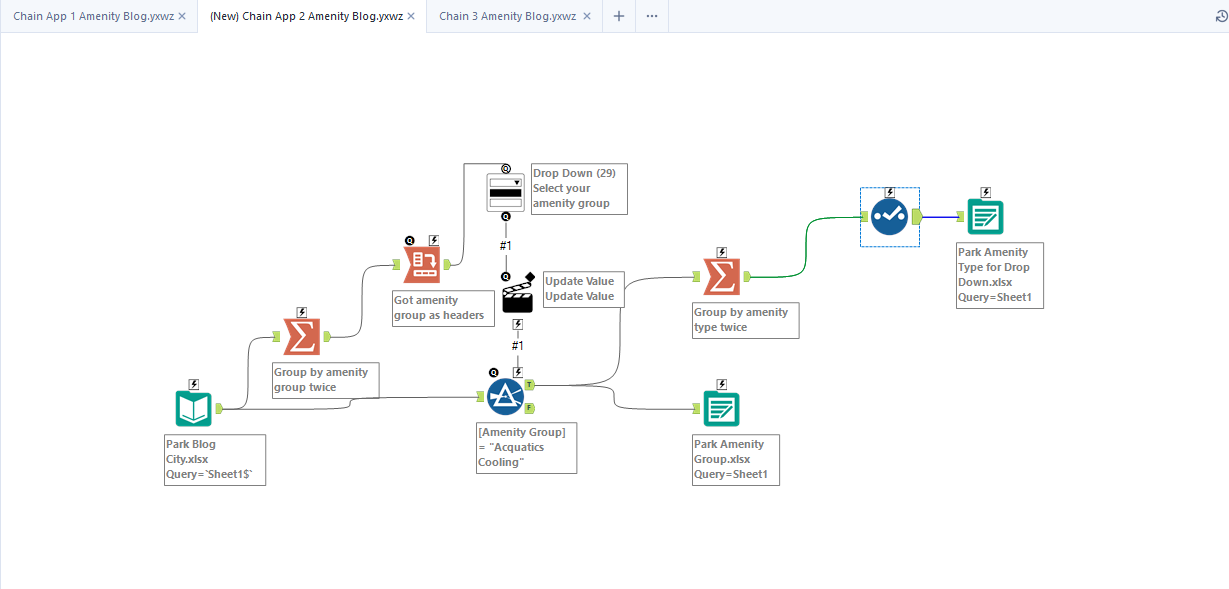
The city output is now the input for the second app, which is the second half of the base app with some tweaks. There's two outputs, one with the filtered amenity group for the third app, and due to some trouble shooting, I added an a output specifically for the amenity type drop down in chained app 3. On success, this app runs the third app.
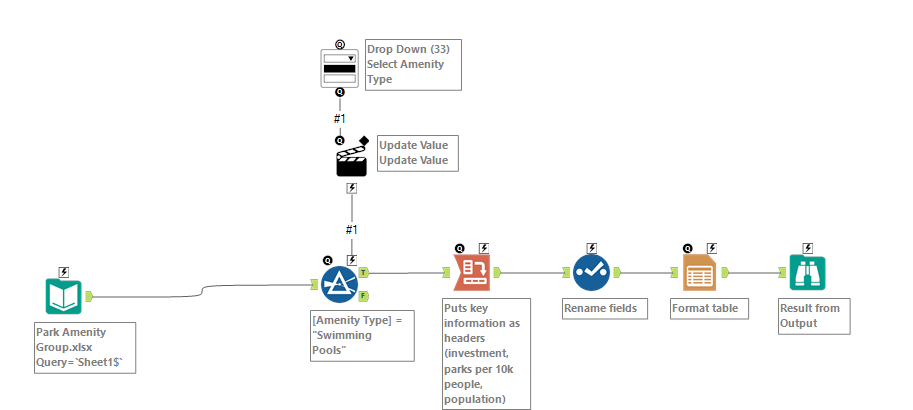
Here is what the third app looks like, and the drop down configuration.
The end product
Here's how my app works!
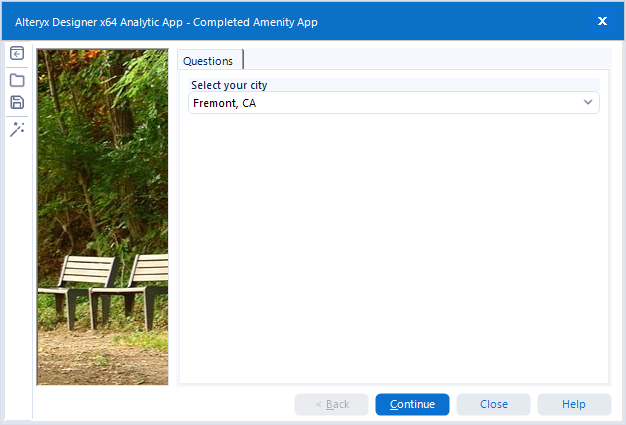
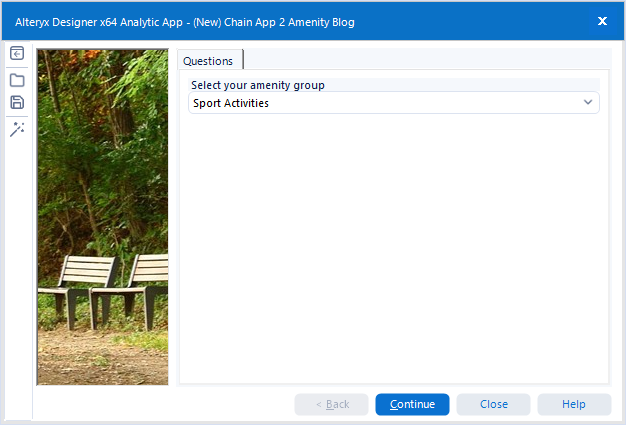
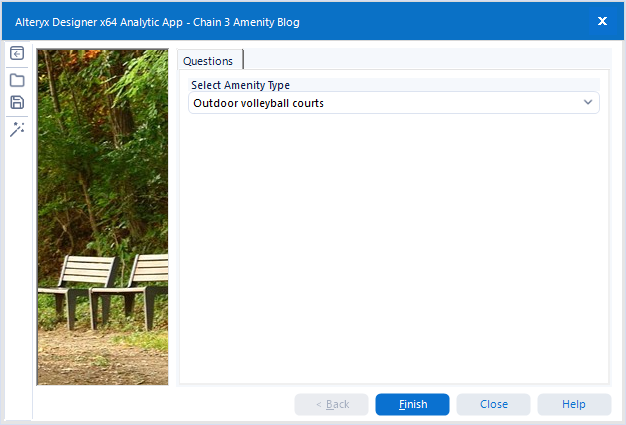
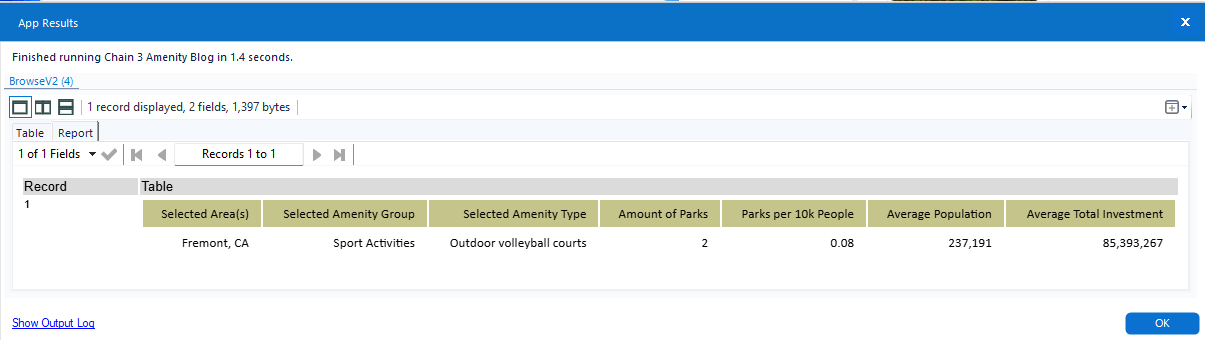
Now we can see that there's only 2 outdoor volleyball courts; that's .08 per 10k people.
Thank you for joining me on this journey! If you're going to try to make a chained app, good luck!