


What is scaffolding?
Scaffolding is a way to create missing values needed for analytic goals. With dates, say I only have data for August 1st 2024, and August 6th 2024, but I want everything in between. Then, I would look into date scaffolding.
What is a cross join?
A cross join is joining everything with each other, basically matching everything in Table A with Table B.
What does this look like?
In this example from training today, we created this table together:
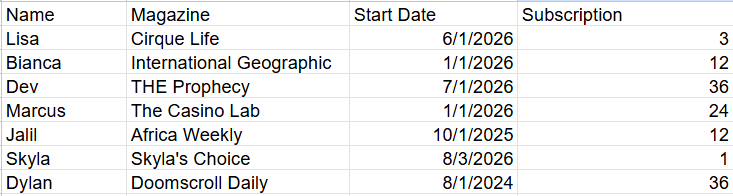
The current state of this data is limited. What we want is the end date, and the months in between the end date and the start date. Below are the steps we took in class.
Step one: Create a join key between our table (subscriptions) and a date table
To do this, we created a calculated field in both tables called "Join Key", and picked a value to match this one (i.e., "1").
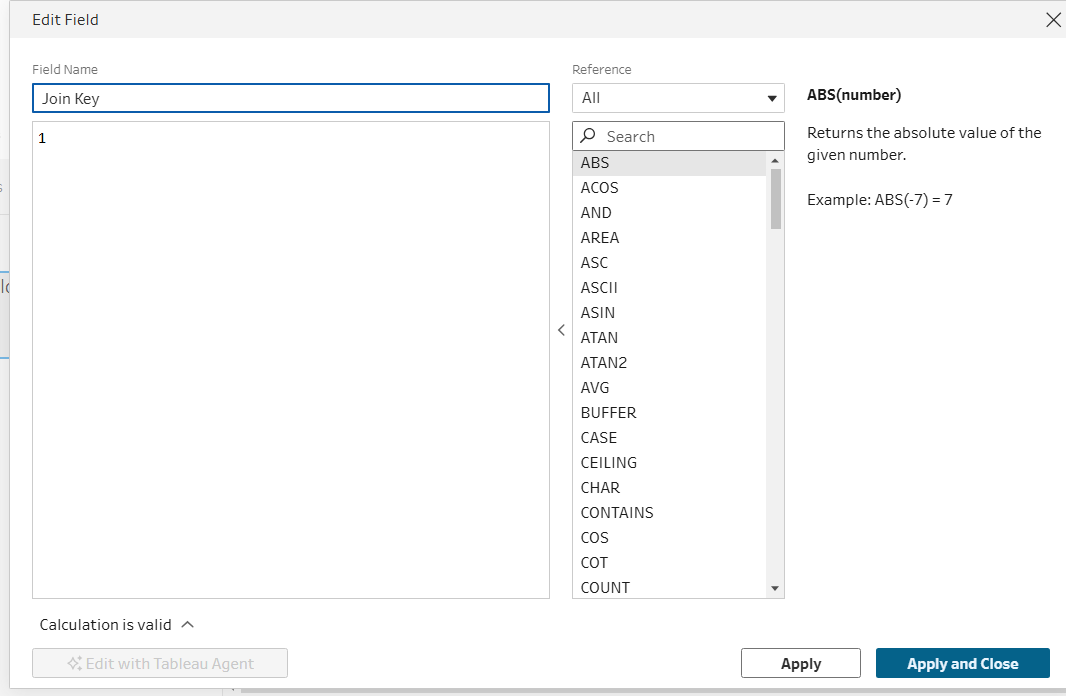
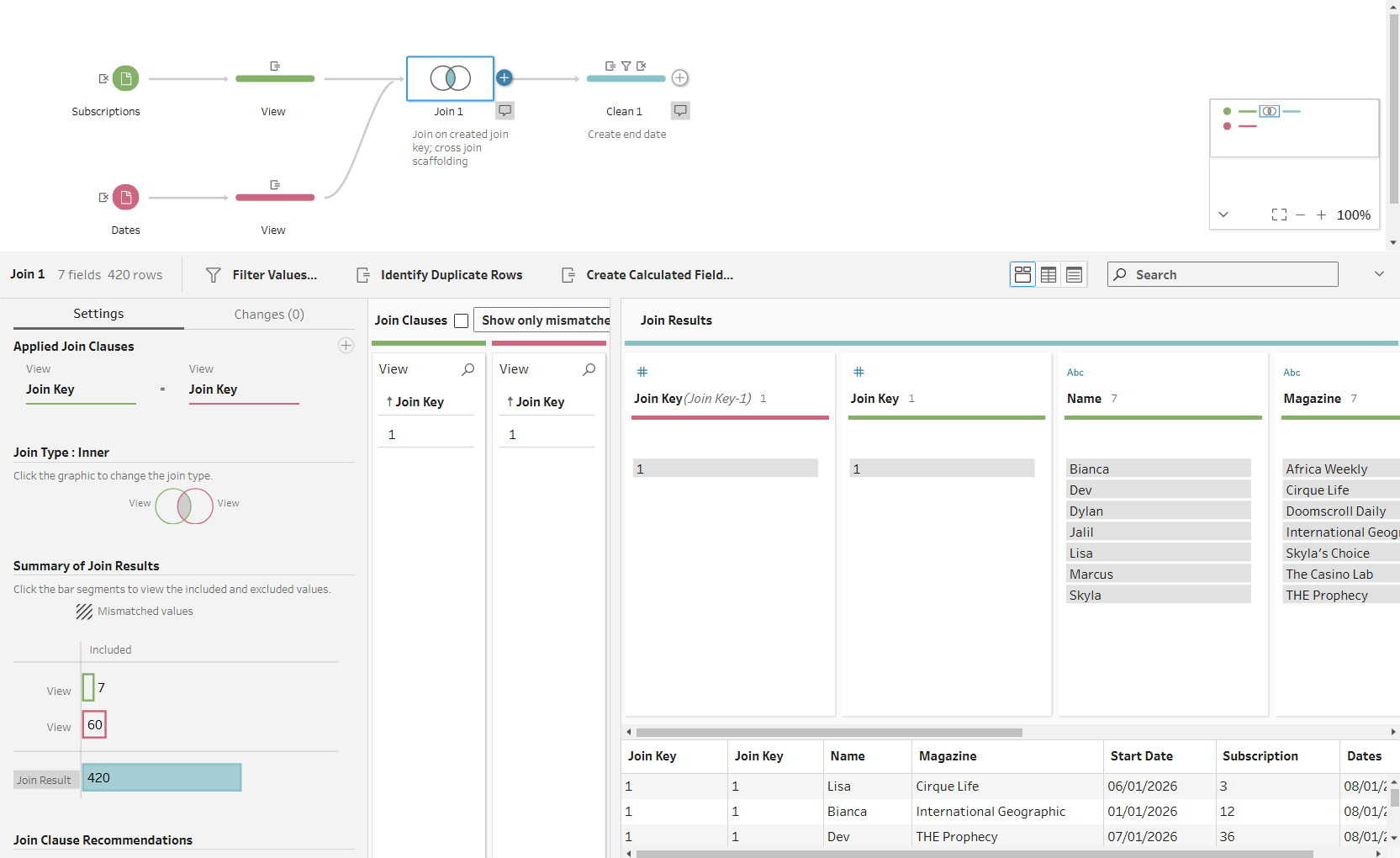
Step two: Join with date, purposely exploding the data
Here is what that looks like in this example:
Step three: Create end date
For this example, we want the end date of our magazine subscriptions, so we used a DATEADD function. Here is what that looked like:
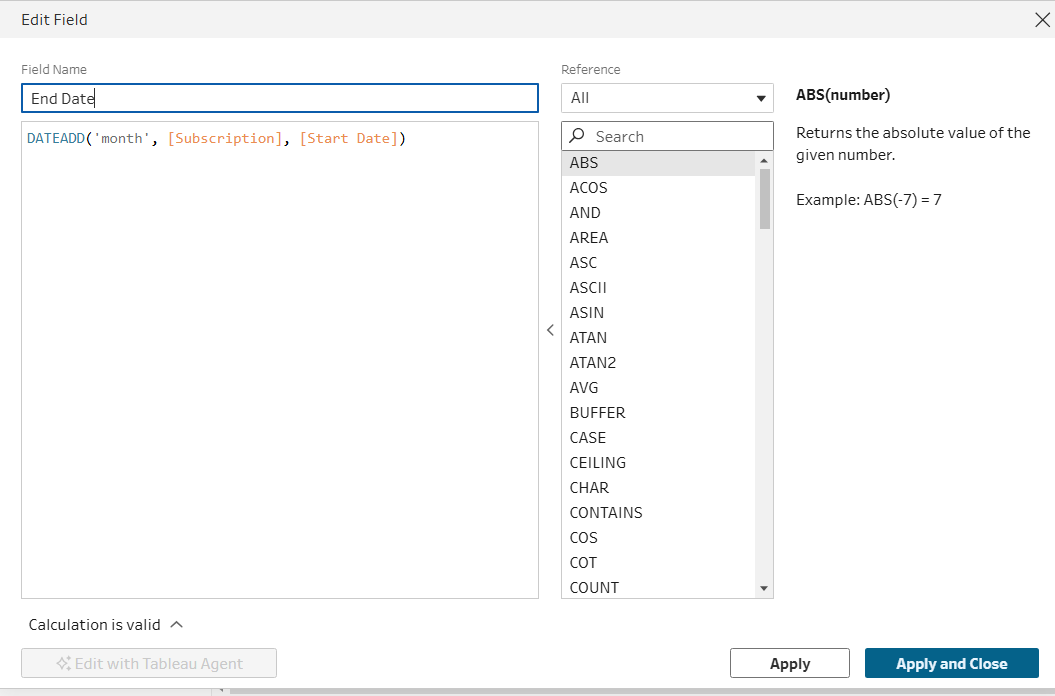
Afterwards, we deleted the join key in order to clean up the data.
Step four: Filter dates
Here, it's important to think "How many rows am I expecting? What dates do I want exactly?". In this example, we want the dates in between the start date and end date, so what we inputted was the following function as a filter on dates:
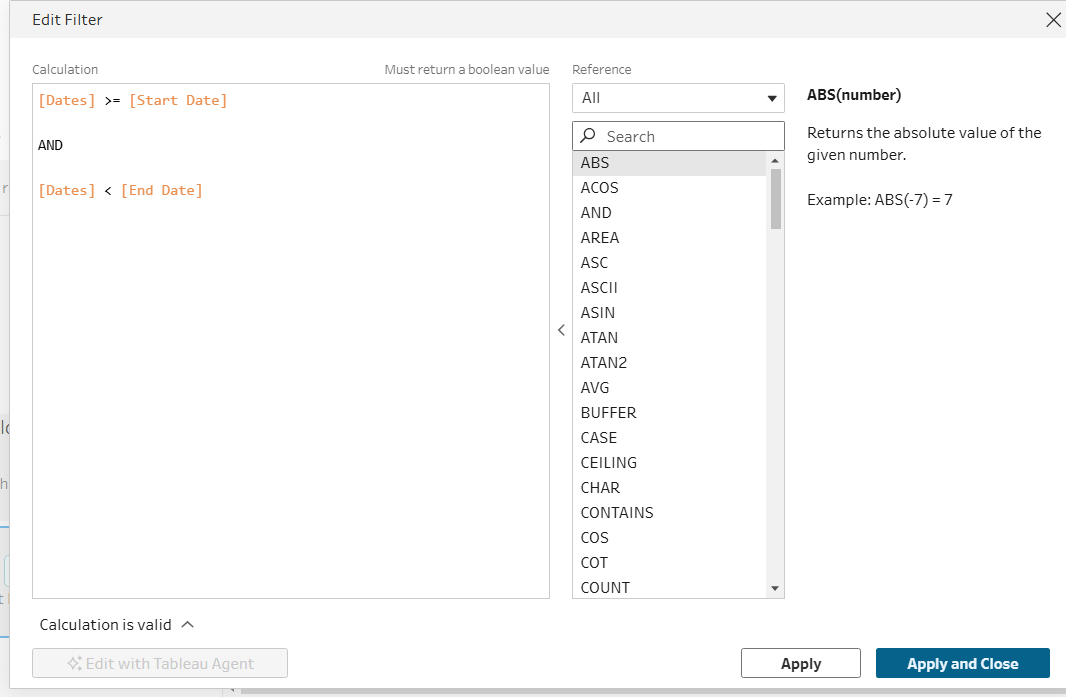
This successfully gave us the output we wanted, providing only the dates after the start date and before the end date for each magazine.
I hope this helps you understand date scaffolding and the benefits. Good luck on your data journey!