


How is XML Structured?
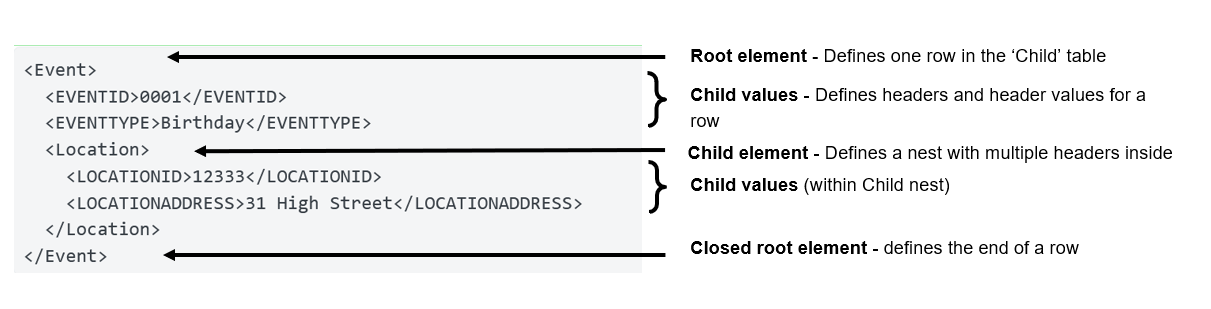
An XML document is more like a tree than table. For example, the root element Event can hold plain text values like EVENTID and EVENTTYPE directly, and it can also hold nested child elements that are themselves containers, like Locations, with further fields such as LOCATIONID and LOCATIONADDRESS sitting inside those. Both of them live under Event, but one is nested and one isn't.
Say you're pulling an Event catalogue export. One record looks like this:
<Event>
  <EVENTID>0001</EVENTID>
  <EVENTTYPE>Birthday</EVENTTYPE>
  <Location>
    <LOCATIONID>12333</LOCATIONID>
    <LOCATIONADDRESS>31 High Street</LOCATIONADDRESS>
  </Location>
</Event>
EVENTID and EVENTTYPE sit directly under Event, so any tool reading Event as a record sees them immediately. Location doesn't hold a value itself, it holds two more elements that hold the values. A tool that parses one level of Event sees EVENTID, EVENTTYPE, and an empty or unparsed Location, because the actual data sits one level further down than it can see.
This is still an issue with Alteryx's XML parsing tools. It can parse exactly one level per pass, and most real XML nests more than one level deep.
Building an XML parsing workflow in Alteryx
The fix is to parse the file in stages, descending one level of nesting per tool, using each tool's raw output as the next tool's input.
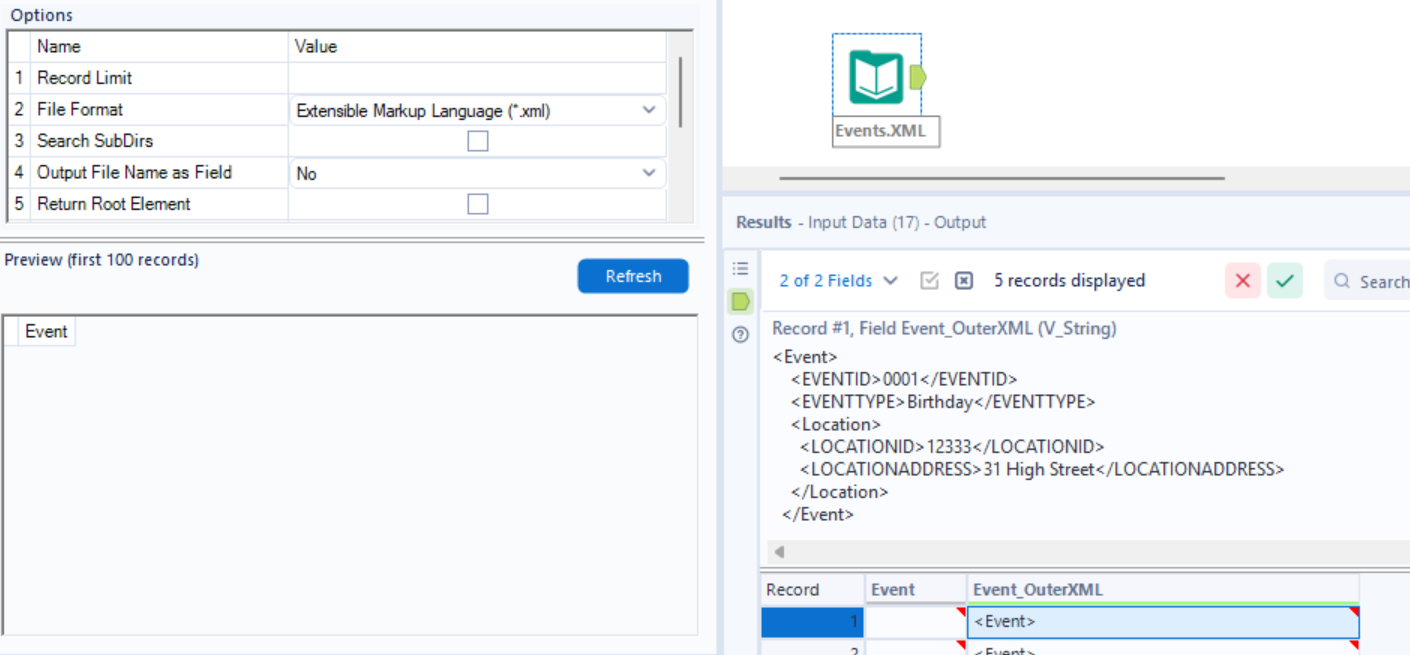
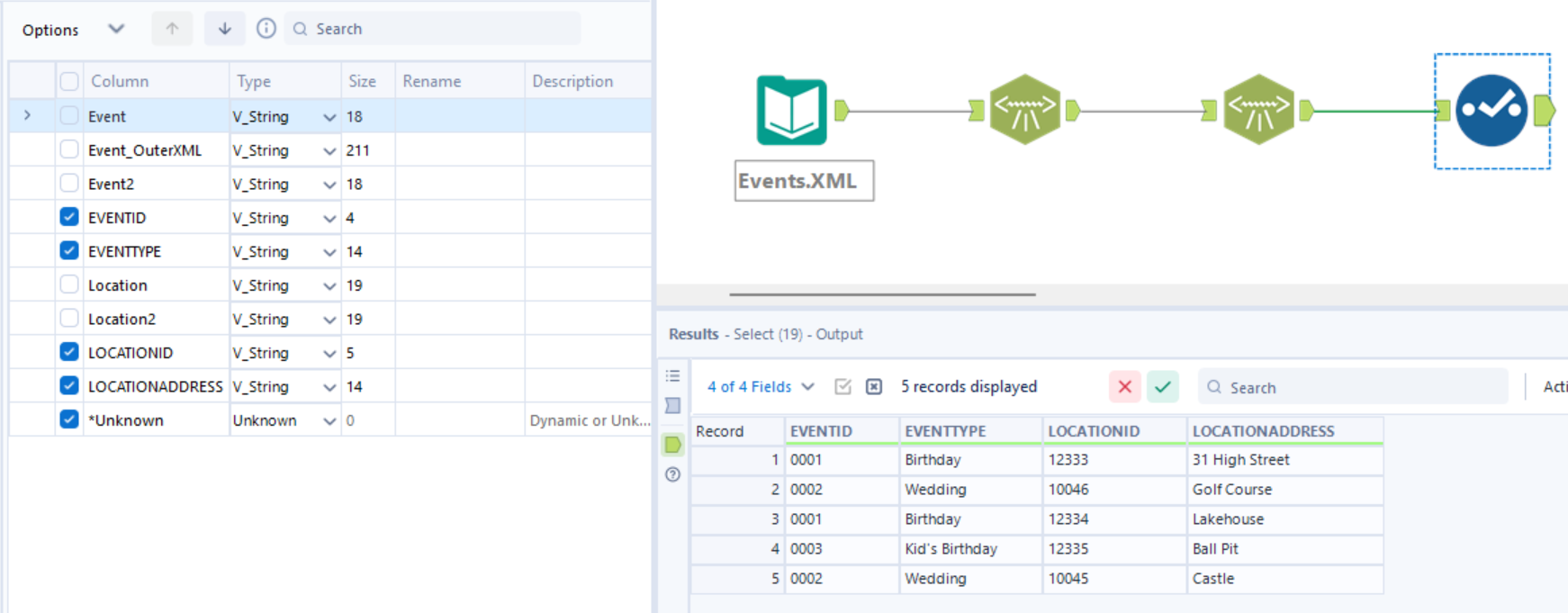
Start by importing your data using the Input Data tool, ensuring that the correct file type is selected, and your desired XML Root element defined. Select to Return Outer XML. This will create lots of rows of data with each Event record XML per row.
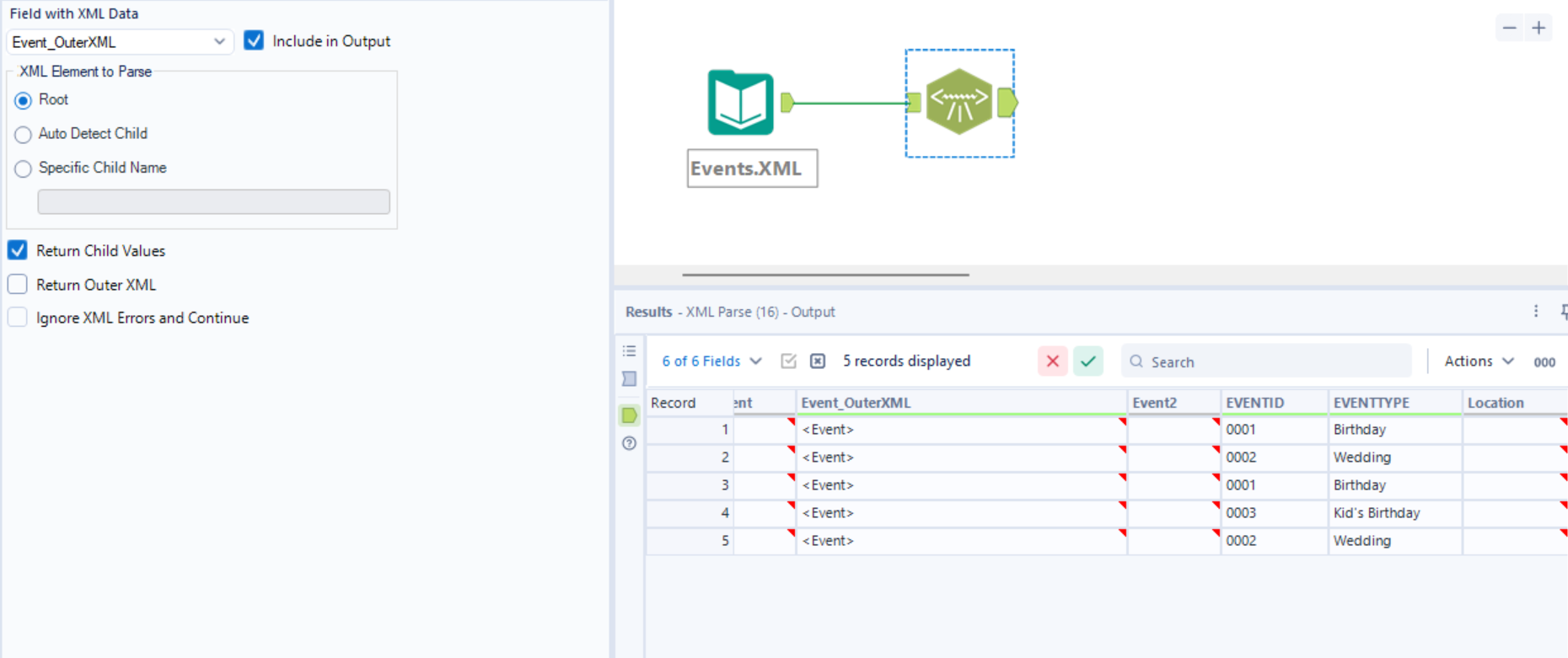
Next, use an XML Parse tool targeting Event_OuterXML root, the top-level record, with "Return Child Values" checked. This will return all non-nested child values within Event and also the Child Element Names of the nested elements.
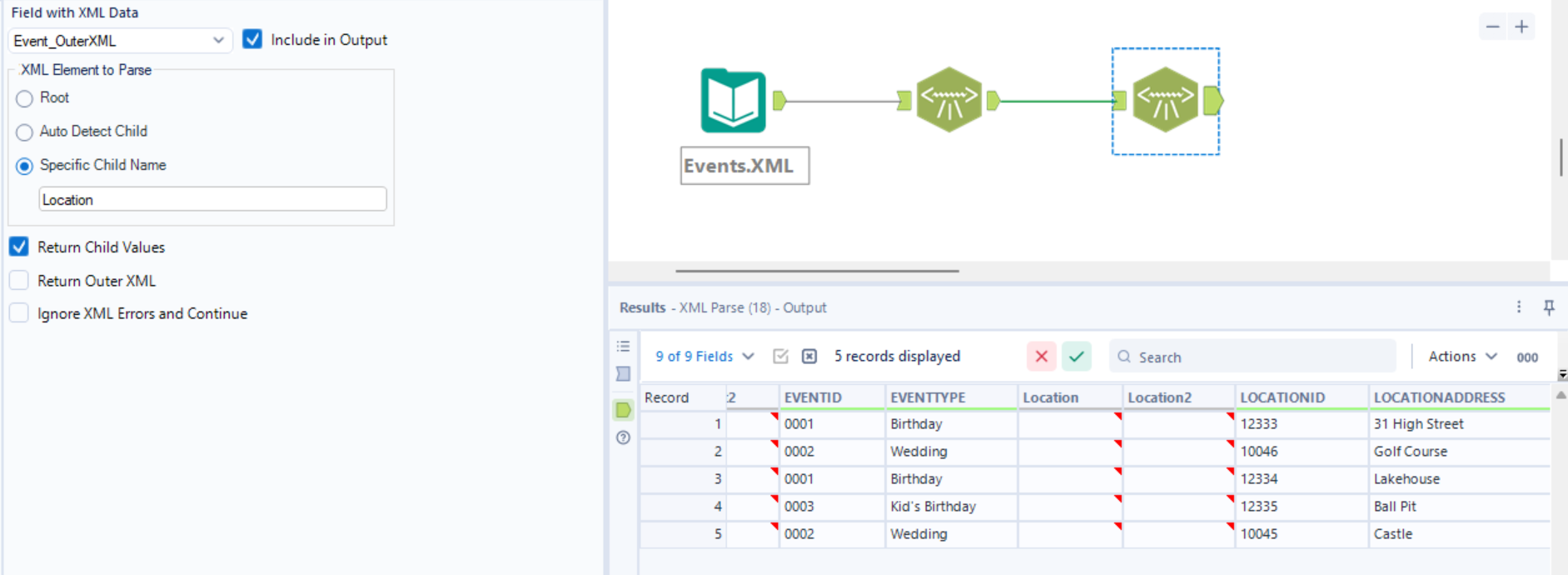
A second XML Parse tool is needed to target Location, one level down. This will use the same Event_OuterXML column that we already have to find the nested child values. This time we will select 'Specific child name' and define Location. This way it sees the nested structure intact and pulls LOCATIONID and LOCATIONADDRESS out properly. If Location held a further nested element, the same move happens again, check Return Child Values, chain a third tool, target whatever is inside that.
I would then recommend to use a select tool to remove all of the leftover XML parts and the empty headers.
Where this could go wrong
Namespaces are the first thing that could go wrong. A root element declaring something like xmlns:xsi="http://www.w3.org/2001/XMLSchema-instance" can make Alteryx's element picker return the namespace itself instead of a real tag name when you try to auto-detect a child element. If this does happen, ensure that the element name is defined in the input tool.
Repeating elements could be another problem. "Return Child Values" in the XML Parse tool is documented to return only the first set of matching child values it finds. If an Event has two Location blocks, parsing that level returns one of them, with no evidence that a second existed. The fix is to set that tool's element to parse as the repeating tag itself in 'Specific Child Name'. Therefore, each occurrence becomes its own row instead of overwriting the one before it.
The last one is just the scale of the data. Every extra level of nesting needs another tool. Every extra sibling table under the root is another chain, since one XML Parse tool can only target one element name at a time. This isn't particularly difficult to do, just repetitive in a way that may explode the data a file has more than two or three levels.