


Have you ever built a chart in Tableau and wondered how each value compares to another, or how those values change over time? If so, table calculations might be a helpful tool.
To begin, let’s debunk some misconceptions.
- You do not need a table chart to perform table calculations on Tableau. Table calculations take into consideration the values in your Rows, Columns, and Marks card, so they can be applied to different charts.
- Table calculations are not limited to measures. Though a very common use, there are functions such as FIRST() and SIZE() which could be used with dimensions as well.
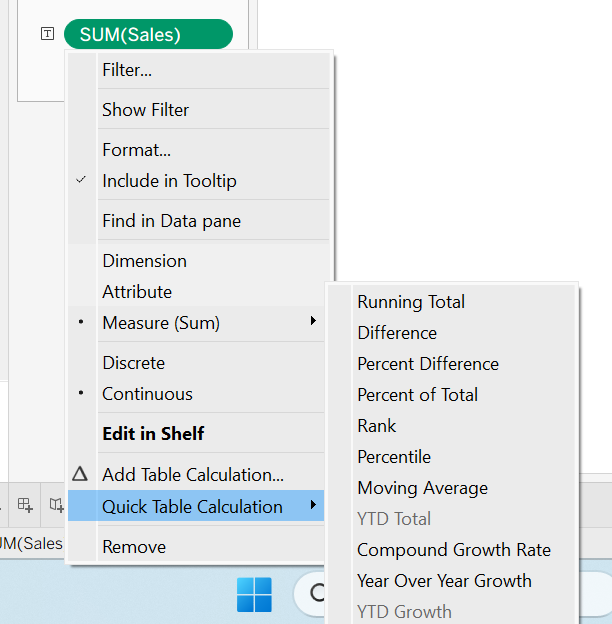
Table calculations can be performed in multiple ways. You can either create a calculated field using table calculated functions, or use Quick Table Calculations. Quick Table Calculations are pre-built calculations in Tableau that can be accessed by clicking the drop down arrow on a measure (Note: Quick Table Calculations are only applicable to measures).
Example of Quick Table Calculations:
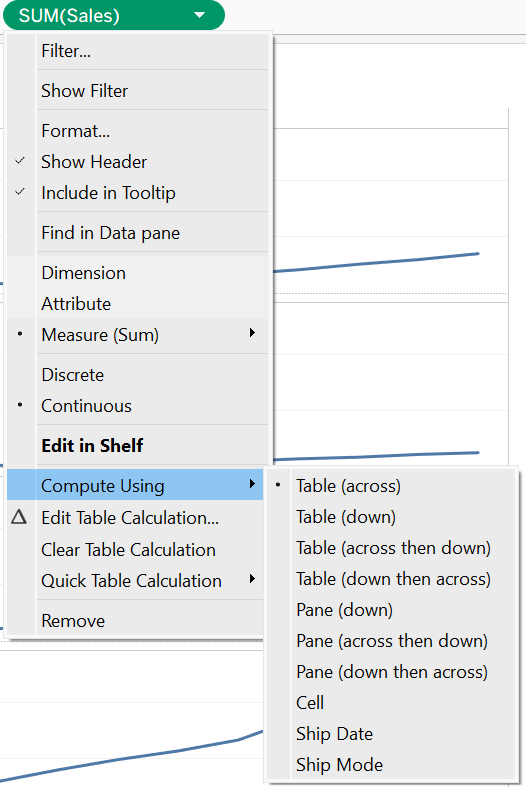
Before getting started, it is also important to understand the direction your table calculation is being performed. After applying a table calculation to a measure or dimension, if you click on the drop down arrow you will see a “Compute Using” option. This option allows you to control the direction of your calculation. Do you want to perform your calculation down a column or across a certain row? You can specify that using Compute Using.
Example of Compute Using:
Now, let’s get into the functions.
FIRST()
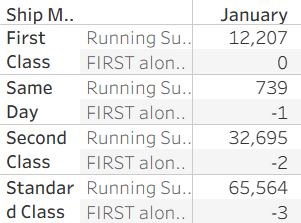
Returns the distance (in rows) between the first row and current row. The first row starts at 0. So, if you were to use the FIRST() function, the third row would equal to -2. In other words, the third row is 2 positions away from the first row.
LAST()
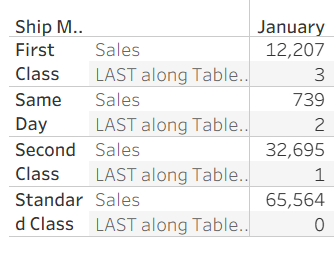
Returns the distance (in rows) between the last row and current row. The last row starts at 0.
INDEX()
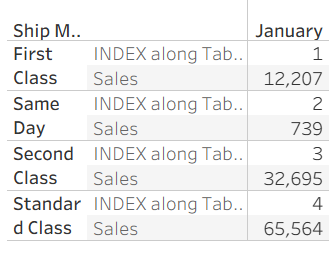
Returns the position of the row within the displayed data, where the first row starts at 1. For example, the third row would return an INDEX() value of 3.
SIZE()
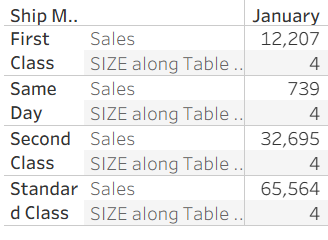
Counts and returns the total number of rows.
LOOKUP()
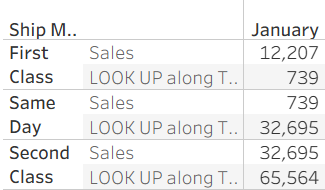
Returns a value based on its position from the first row.
For example, LOOKUP(SUM(Sales), 1) returns the value from the next row.
RANK()
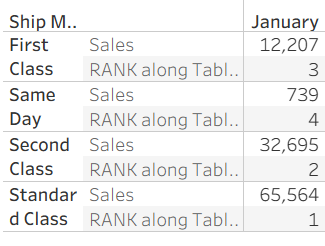
Assigns a ranking number to each row based on its value.
Can be paired with ‘asc’ & ‘desc’ to determine ranking order.
ASC- The lowest value ranks number 1.
DESC- The highest value ranks number 1.
Example: RANK(SUM([Sales]), 'desc')
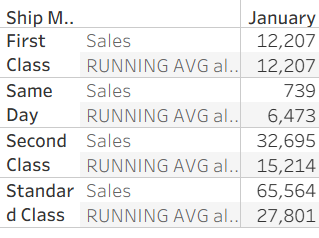
RUNNING_AVG()
Calculates the average of values from the first row up to the current row.
Example: RUNNING_AVG(SUM([Sales]))
The RUNNING_AVG() for the third row is calculated by taking the SUM(SALES) for rows 1, 2, and 3, and dividing by 3.
These functions are just a few examples of the types of table calculations Tableau has to offer. Next time you’re curious about position or want to perform quick mathematical calculations using your output values, give these functions a try!