


A data analytics software that allows users to ingest and visualise Data within one Ecosystem(Microsoft).
For businesses, a common pain point is that there is a need to govern and transform data across disconnected tools and teams. Microsoft Fabric offers a possible way to tackle this problem. As AI begins to become part of our daily lives, the importance of preparation and semantic modelling is becoming more and more relevant.
Fabric's main goal is to streamline workflows as well as connect to other plateforms withing the Microsoft universe, like Azure, for example. Roles & Permissions can allow different teams to access and analyse the data that has been ingested.
- The data that is collected and stored within Microsoft Fabric is located on a 'unified data lake ' called OneLake ( More on that in a sec).
- Since OneLake is housing your data, this data can then also be used in tandem with AI products like Copilot and agents. However, a semantic model will most likely be needed to allow the right context to be given to the agents.
Out of interest, I took the Introduction to end-to-end analytics using Microsoft Fabric module today; in this blog, I will take you through my notes and what I found/learnt while going through the module.
What is a Data Lake?
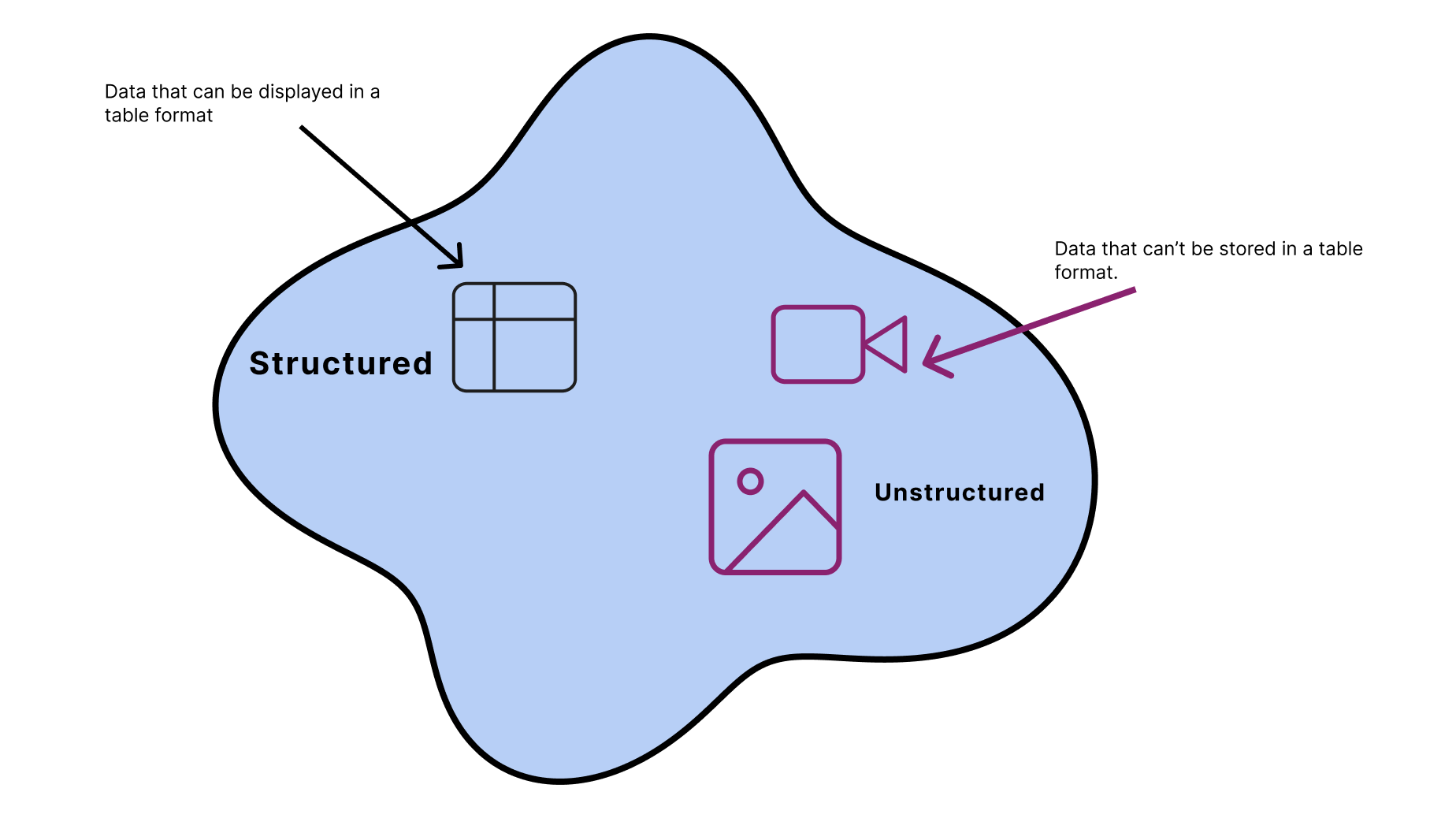
- A single repository where you can store different types of data together. Like Structured and Unstructured
What is OneLake?
Think of it as where Fabric Stores the data that is needed for consumption. It acts as a place to point to all your consumed data. For those interested in its origins. It is built on top of Azure Data Lake Storage Gen2 ( https://learn.microsoft.com/en-us/azure/storage/blobs/data-lake-storage-introduction ), which is a cloud data lake.
Formats that are supported by One Lake
- Delta /Parquet - Column-oriented data storage format. (Default)
- CSV
- JSON
Shortcuts - allows data to be pointed to certain Files/ Storage Locations within OneLake / External Data Sources.
Workload - "specialised component or toolset designed for" data-related tasks - used to "ingest, transform, analyse and store data"
Types of Workloads....

One Lake Catalog
A place where you can find and access data sources, and you are only able to access Data sources that have been specifically shared with you.
Managing Fabric Permissions
- Permissions are governed in the Admin portal
- Manage permissions ( groups as well )
- Configure data sources and gateways
- Monitor usage and performance.
- Access Fabric Admin APIs + SDKs - (These can be used to automate recurring tasks.)
In order to use Microsoft Fabric, you will need to make sure you are a Fabric Administrator within your Organisation.
Workspaces
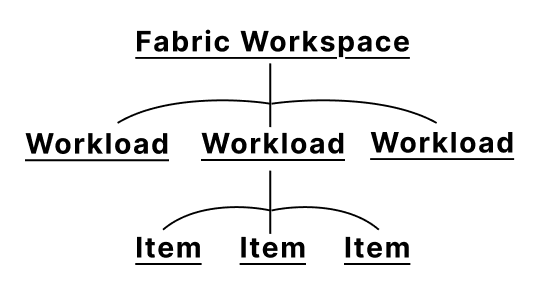
Where you are able to manage something called an 'Item'. Think of items as tools that can be used within Fabric. Some examples :
- A Lakehouse
- Warehouse
- Power BI Reports#
Each Workload displayed in Figure 1 has a different set of items that correlate to it.
Newer Capabilities
AI Features
A feature ( that is, as of current (30/06/2026) is still in preview) belonging to a group of IQ Workloads:
- Fabric IQ - Core item = Ontology acts as the semantic (Knowledge view) model of your business.
- Foundry 1Q - connects to the structured and unstructured data across OneLake but also the web.
- Work IQ - Looks through documentation, meeting notes, workflows etc and continues to provide further context to agents.
Using the Fabric IQ Workloads, Agents like Copilot can then connect to your Ontology and treat it as a source.
Copilot's Capabilities
Copilot allows user to be able to complete code or generate SQL from sentences. It also allows users to create page summaries from reports, and you, as the user, can ask questions about reports that you are viewing.
For now, this is a quick overview of what Microsoft Fabric is and what it is capable of :) Hope you enjoyed! See you in the Next post :)