In Week 4 of my training, we looked at set actions and how they can be used.
Set actions are a way for a user to dynamically change the members of a 'set' through an interaction in the dashboard (e.g. selecting, hovering.) In this blog, I will be using a dataset containing pizza toppings. The goal is to create a dashboard where the user is able to add/remove toppings and see what the total price is of the selected items. The set in this case would therefore be the toppings.
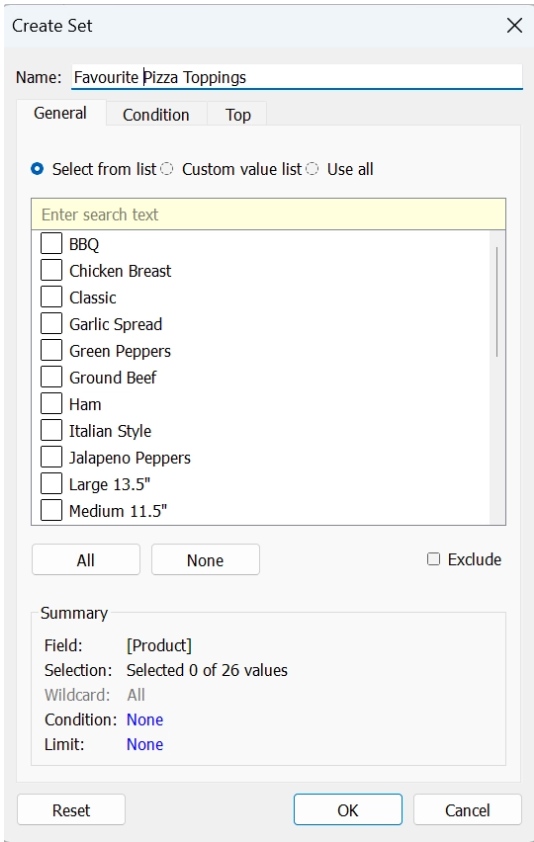
- First, I need to right click on my field that contains my list of toppings and click ‘create set’
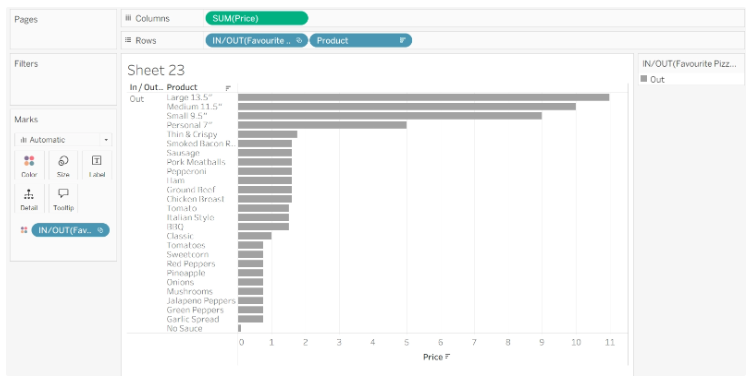
- Now, we can build the chart that we want to interact with in the dashboard. For example, I want to look to be able to look at the price of all my toppings that I select. First we create a chart that we can select/deselect from.
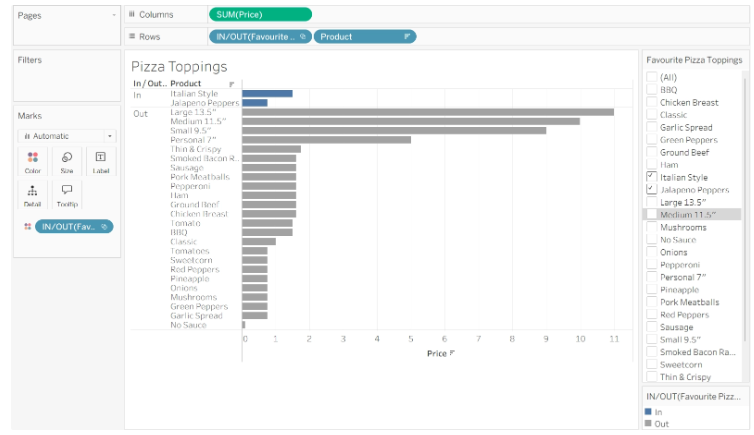
- Let’s add some toppings into our set by showing set and selecting some items.
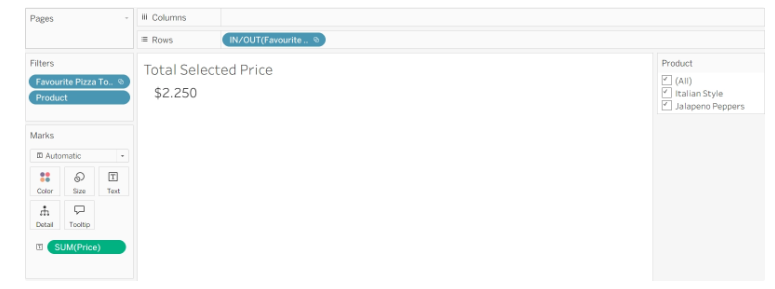
- Now create another sheet which will calculate the sum of the toppings selected. If you go and select other items from the set, the price should update to include the newly selected items.
- Now, we can go to a new dashboard and add both of these sheets.
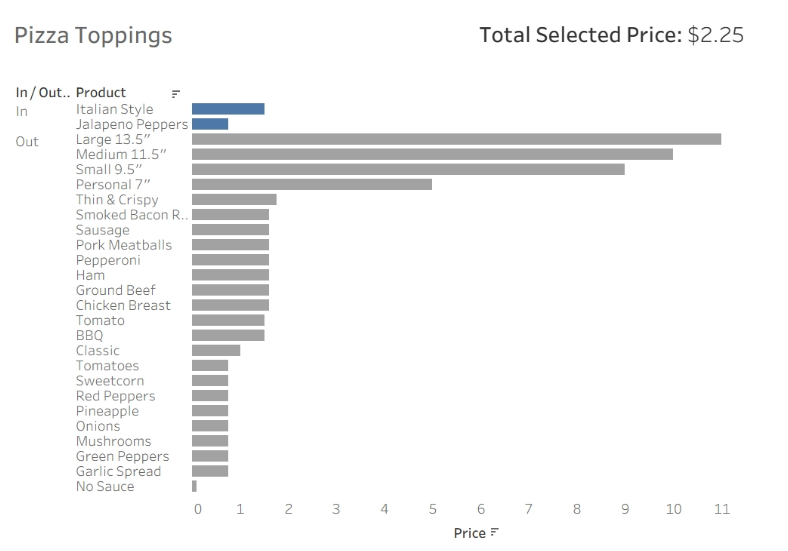
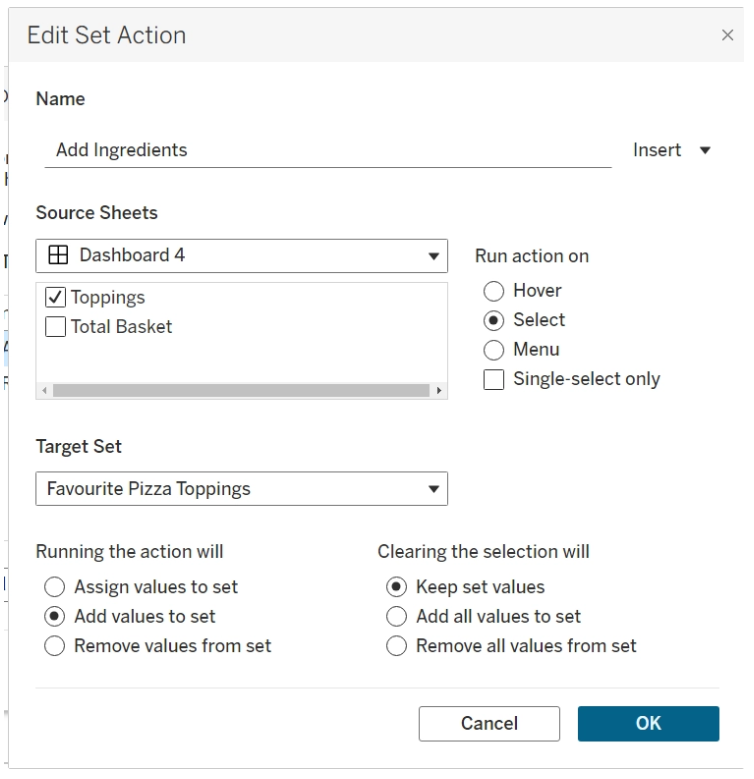
- To have the toppings be added to the set by selecting a bar, we need to create a set action.
- Now when clicking a bar, it will add it to the set, as well as updating the price.
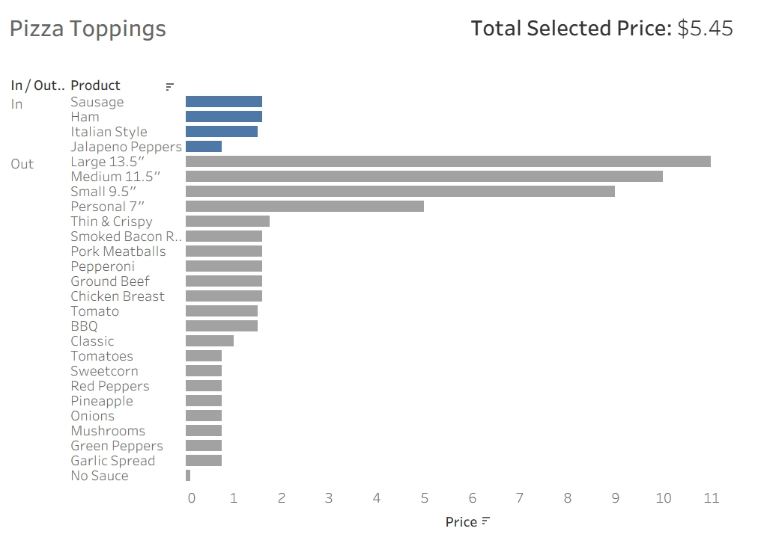
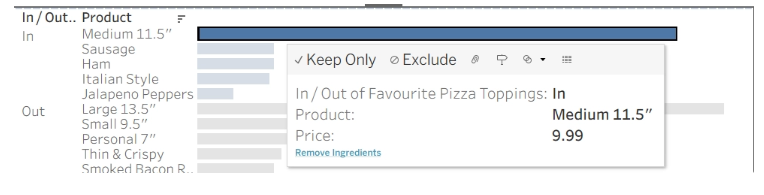
- Now, if we want to take some toppings away, we can create another set action that will remove them.
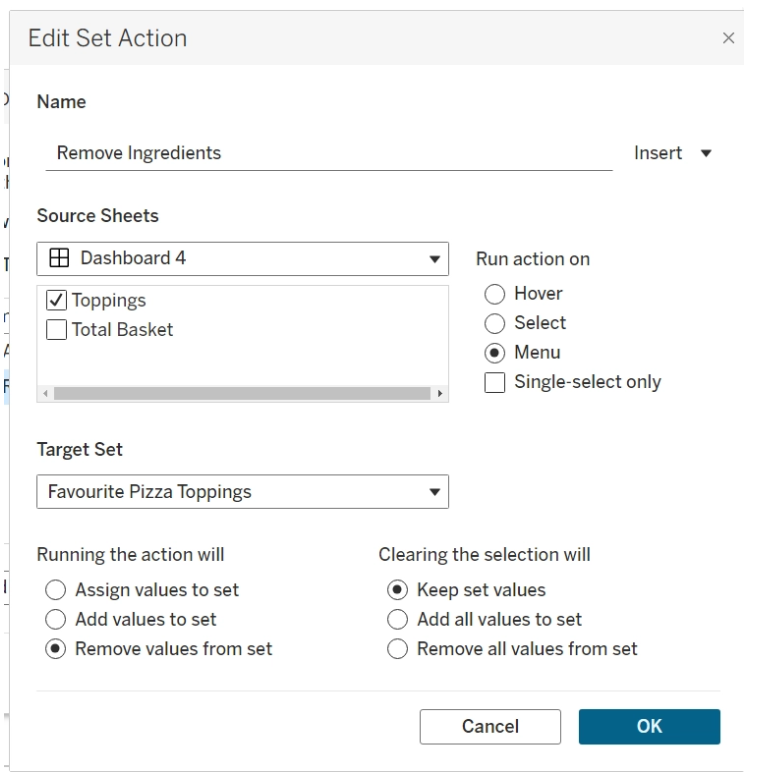
- When you select a bar that is in the set, there will now be an option to remove it.