


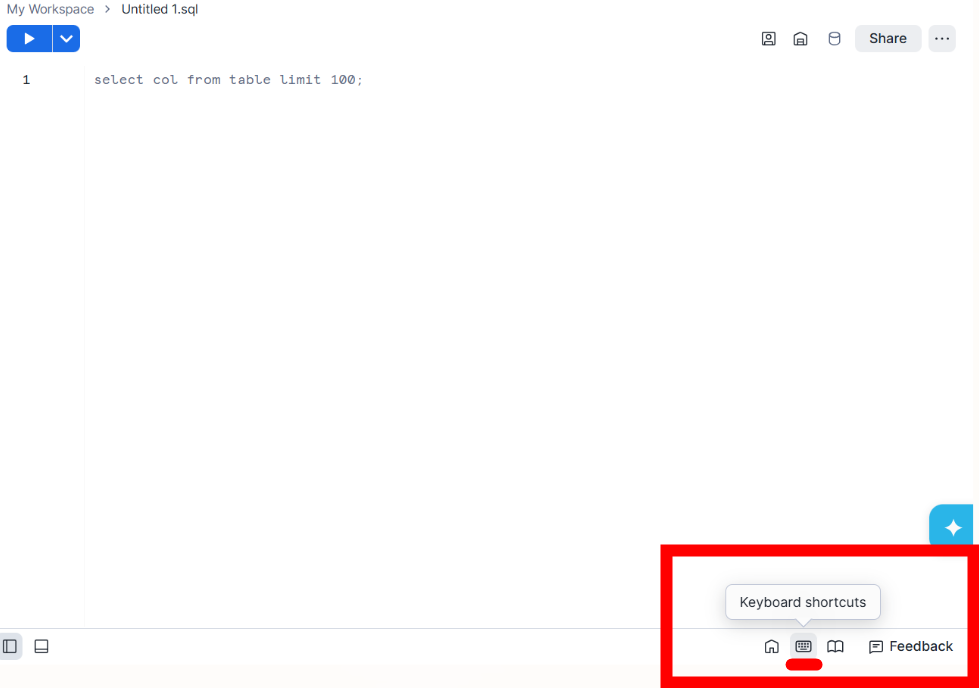
Snowflake has a menu of keyboard shortcuts that can be found on the bottom right of the window.
However, some of these shortcuts can be less useful or not work consistently depending on how you have snowflake open so I've compiled a curated list of my favorites that I can confirm work on Snowflake on Chrome (windows only)– apologies Mac users.
Top Shortcuts
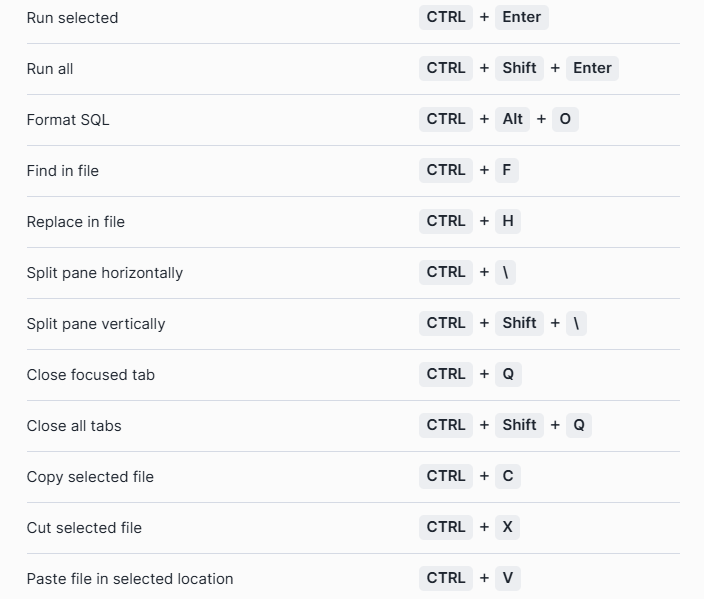
Run current query (a classic): Ctrl + Enter A convenient alternative to hitting the play/run button.
Run all queries: Ctrl + Shift + Enter
Multi-Cursor Editing: Hold Alt + Ctrl Click to place multiple cursors in different places. This is perfect for adding commas or aliases to 10 lines at once.
Alternatively, hold Alt + drag down multiple rows to create multiple cursors in the same spot.
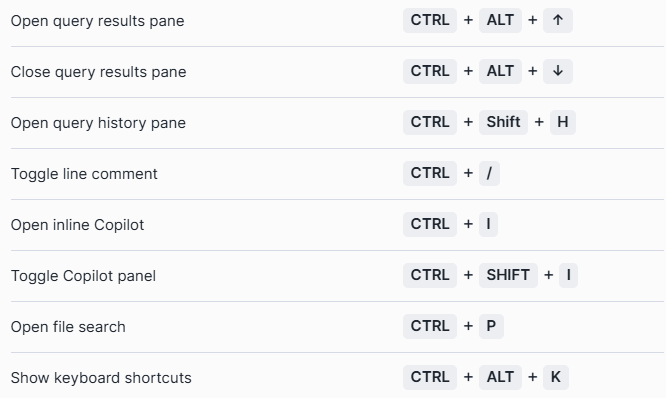
Toggle Comment (another classic): Ctrl + / a selected amount of text to comment it all out or uncomment it back.
Format SQL: Ctrl + Alt + O to instantly format your SQL according to standard formatting practices (a personal favorite for quickly cleaning up messier work!).
Duplicate Line: Shift + Alt + Down Arrow
Delete word:Ctrl + Backspace Instead of tapping backspace 15 times to delete a long column name, this deletes the entire word at once.
See autocomplete:Ctrl + space If the autocomplete options disappears then this will bring it back for you.
Expand/Shrink Results Window: Ctrl + Alt + ↑/↓ to quickly view or hide the results table.
Split Window Horizontally: Ctrl + \
Split Window Vertically: Ctrl + Shift + \