


When connecting data from Google Drive to Alteryx, it's not always the smoothest process. Third party connectors or Google Drive/Google Sheets Tools can sometimes be used, but recently, I found an alternative workaround to pull my data every time my flow ran.
Within your Google Sheet, navigate towards File > Share > Publish To Web.
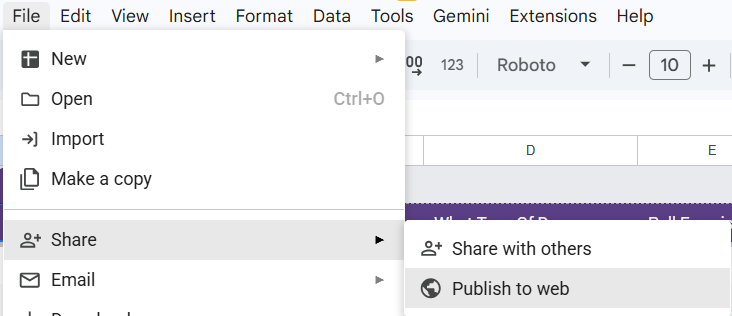
Here, a window pops up where you have the option to choose which sheet you want to publish, as well as what format you want the file in. In my case, I wanted the entire document, but in CSV format.
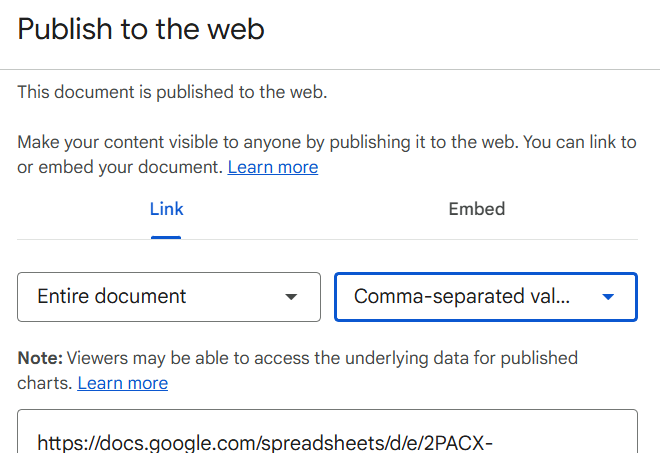
It then generates a link, that you can directly copy.
IMPORTANT:
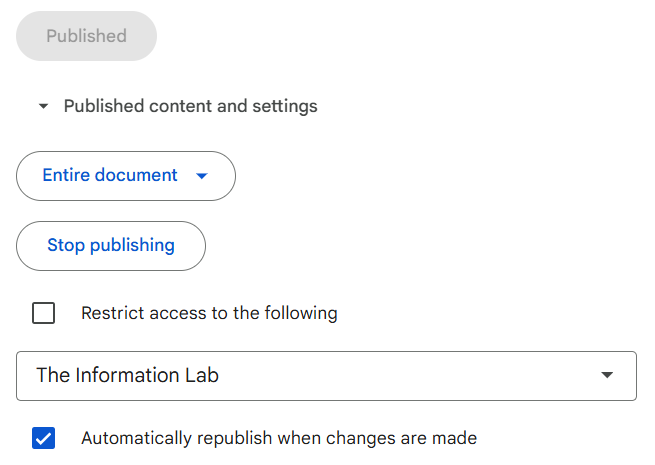
Make sure you publish the file to the web, as well as checking "automatically republish when changes are made" box at the bottom. This will allow you to essentially "live connect" to your data, via the link we created, as every time additional data is added to the sheet, it will republish that data to the web, which allows your flow to access that new information.
Now, in Alteryx, we are able to use a text input, input our URL, and use the download tool to pull our data in.

From here, we are able to use a variety of tools, namely text to columns to parse out our information.

Hope this helps!