


Recently, I had the pleasure of fixing a Tableau Workbook for Tabitha, a Core Consultant here at TIL. The workbook she had been working on had given her an error code (shown below), and it seemed like the file had completely corrupted, with no way to retrieve the previously completed work.
Error(11666,90): no declaration found for element 'worksheet-extension' Error(11666,90): attribute 'extension-version' is not declared for element 'worksheet-extension' Error(11666,90): attribute 'id' is not declared for element 'worksheet-extension' Error(11775,18): element 'worksheet-extension' is not allowed for content model '(document-format-change-manifest,(dashboard-extension),resources?)'
When looking up the error code, we were told that the .twb file had been corrupted or unreadable.
However, Tableau stores all .twb files in XML (Extensible Markup Language) format. XML is a standardized text-based format that is used to store and transport data. In this case, it is used to contain the data for the layout of dashboards and charts.
After our error codes, we notice that for each error, there is a number associated to that value. This number refers to the specific line in the XML format where the errors are associated with. Our error lines in this file appears to be lines 11666 and 11775.
How do we fix this? Let's open up that file and take a look at the XML.
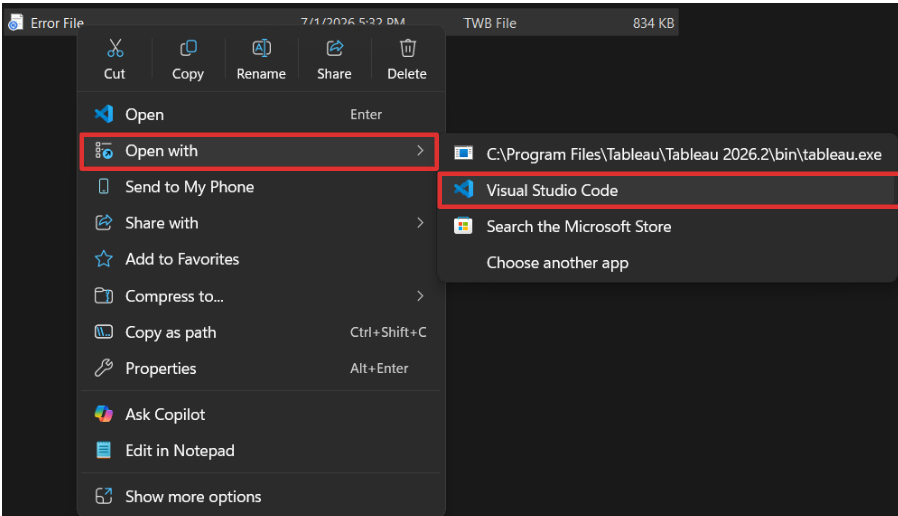
We can do this by right-clicking on our file, going to the "open with" section, and choosing any text-based editor. In this case, I chose VScode, as it is what i'm familiar with, but notepad(there is no code formatting for this one) or notepad++ also works.
Now that we have the file open, let's look for our issues!
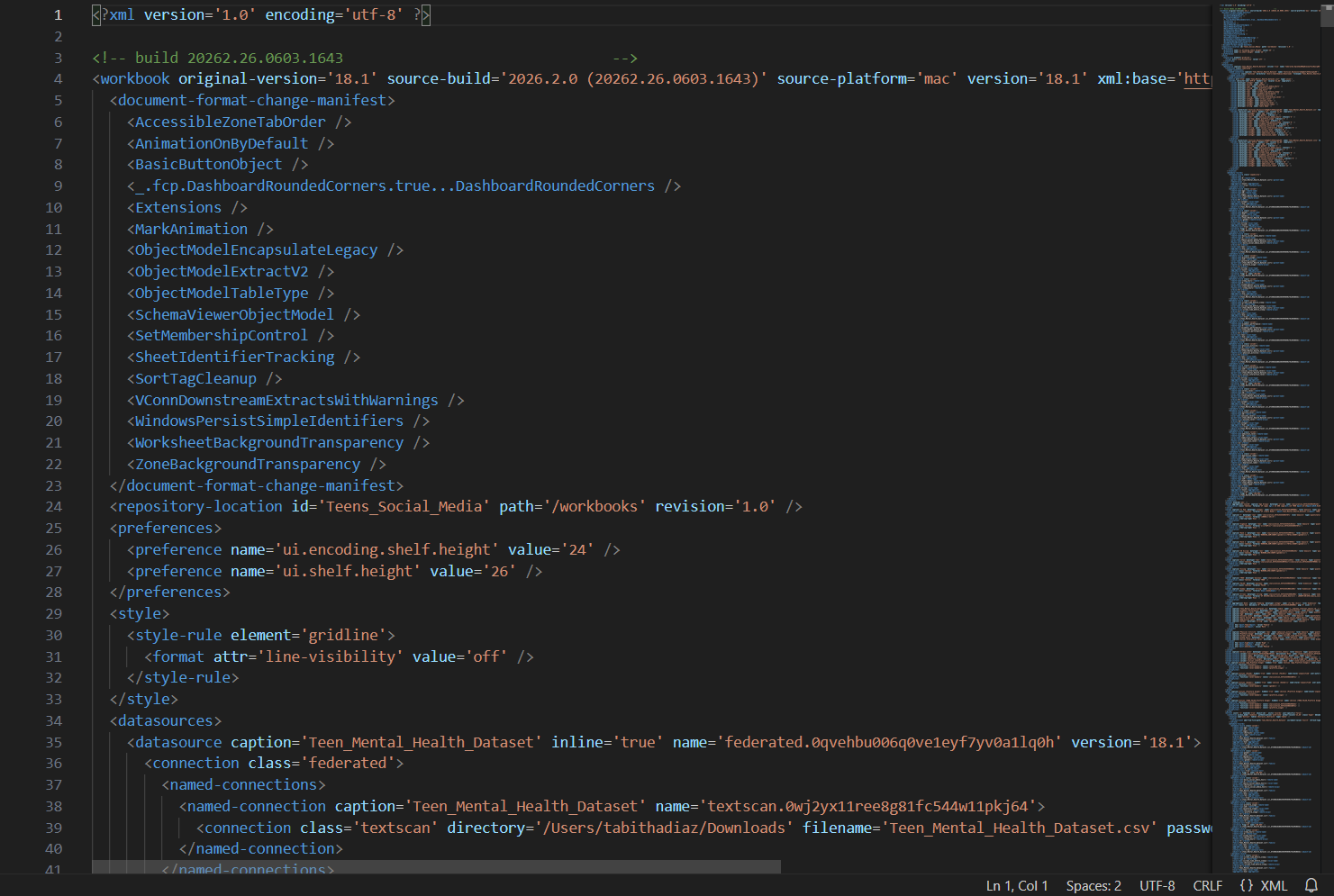
Remember, our error code gave us lines 11666 and 11775.
When looking at lines 11666, we notice that the code within the block happens to refer to the metadata for a Sankey chart extension that Tabitha was using. This metadata is contained as a <referenced-extension> in line 11663 to line 11780.
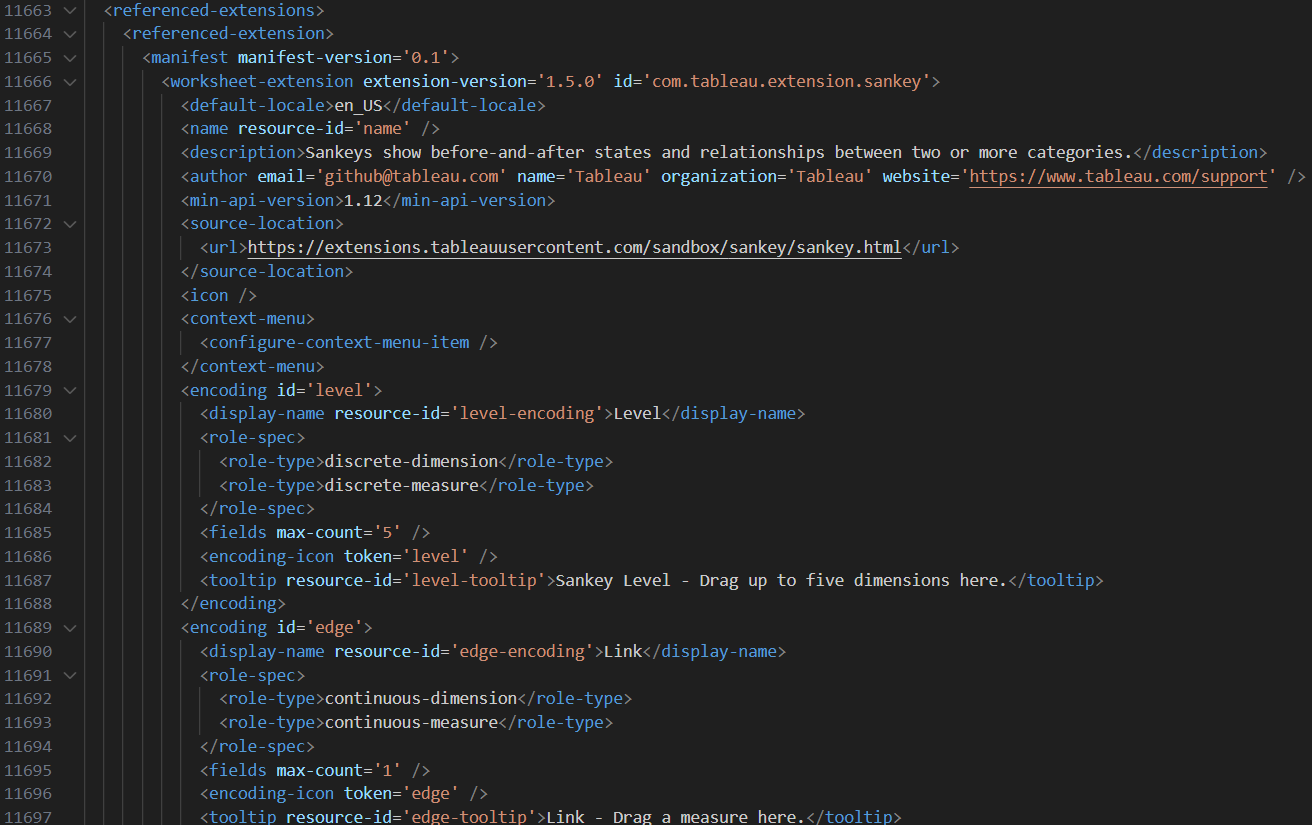
Since the error seems to span the entire range of those lines (11666 to 11775), the safest solution here is to remove any trace of the referenced sankey chart extension. The best way to do that is to delete the entire <referenced-extension>.
As such, I removed lines 11663 to lines 11780. Afterwards, I saved the file, and reopened it in Tableau Desktop, where all the dashboards and files were sitting, unharmed and intact!

I hope that this blog helps you fix your error codes! Good luck!
Additional Note: Always double check what version of Tableau Desktop you're using! sometimes the issue might just be opening the file in an incorrect version! This can be seen at the top of the XML file.
