


This was our first day of Dashboard week and today we were tasked with choosing a data source of our liking ( with a dimensions, rows, date, hierarchy, and 1k+ rows), building a schema, and utilizing snowflake DML/DDL to split the data into fact and dimension tables. After this, we were tasked with connecting to our fact and dimension tables in Tableau, and publishing it as a data source.
I chose a dataset I found on Kaggle called Hotel booking demand. This data set contained booking information for 2 separate hotels, and included information such as when the booking was made, length of stay, the number of adults, children, Average daily rate, etc. This had 32 columns and 119,391 rows, with each row indicating a unique booking.
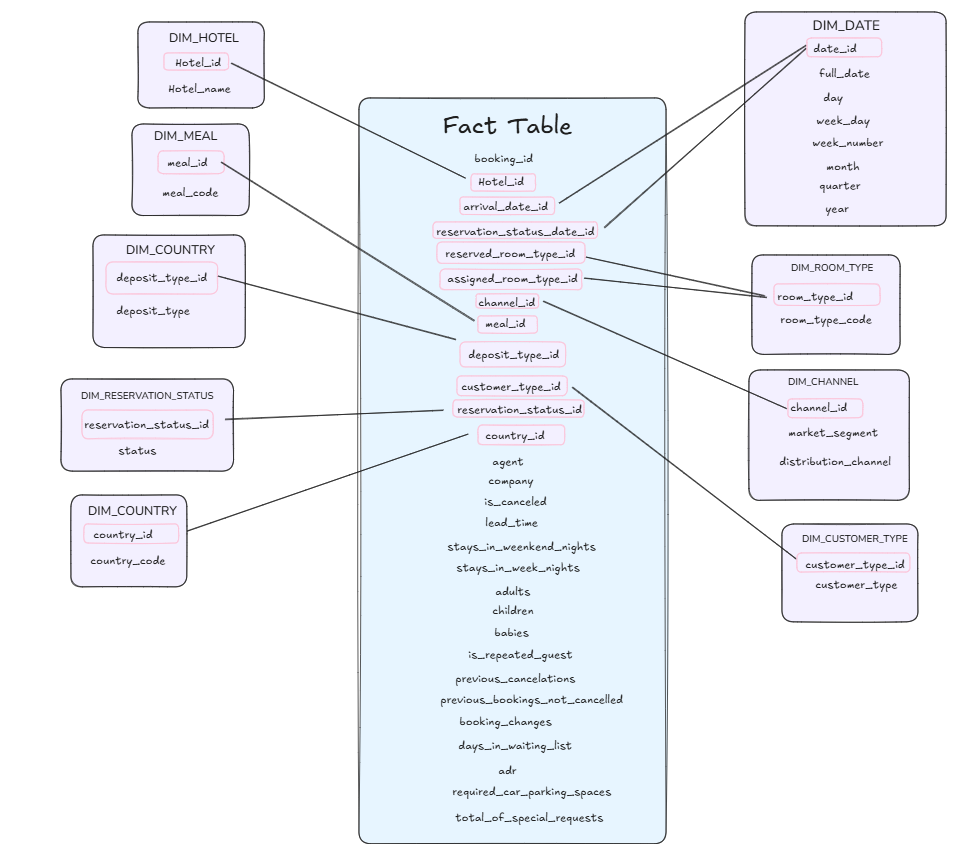
When building out my schema, the first thing I realized was that despite the fact that each row was a unique booking, the data was actually missing a booking_id. After some brainstorming, this was the schema I decided to go with:
I also noticed that the dates in the data were broken up by year, month, day of month, week number, so I knew I had to do some cleaning and calculations to create an actual full date using the makedate() formula.
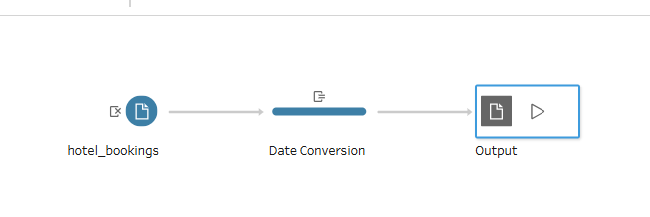
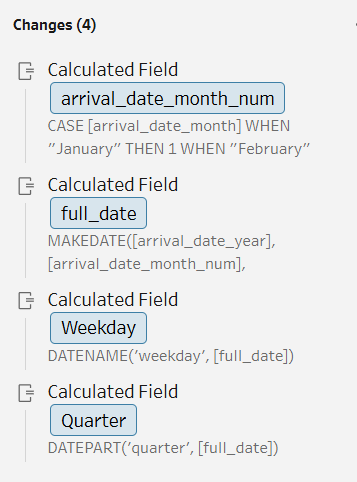
After cleaning, I imported the cleaned CSV into snowflake. When in snowflake, I realized another blocker I came across was that reserved_room had 10 codes, while assigned_room has 12. I wanted to map these to the same lookup table as they are the same values; however, I risked losing the 2 other codes from assigned_room. To combat this, I unioned the 2 columns together.
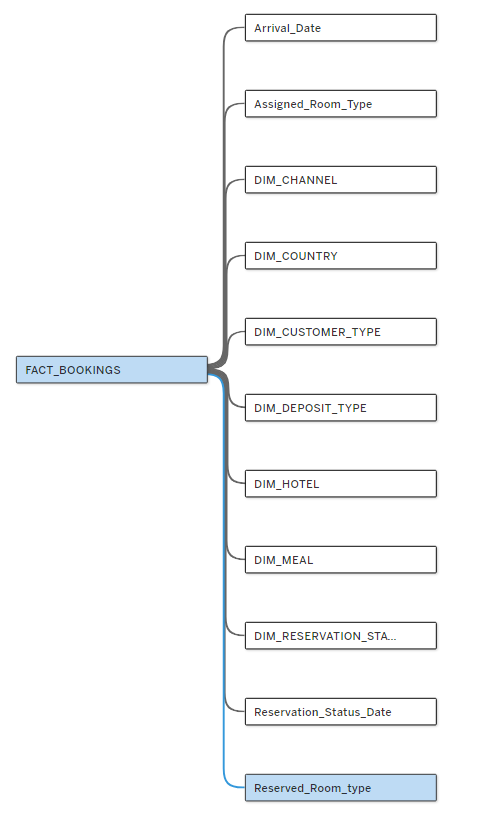
This meant that, for example, if someone had a reserved room_type mapped to room type A but their assigned_room_type was D, it means their room type had changed in the process. However, they are using the sme table to map the information.
The dimension tables I chose to work with were DIM_HOTEL, DIM_MEAL, DIM_COUNTRY, DIM_RESERVATION_STATUS, DIM_COUNTRY, DIM_DATE, DIM_ROOM_TYPE, DIM_CHANNEL, DIM_CUSTOMER_TYPE.
After creating these facts and dimension tables in Snowflake, I connected to Tableau desktop, created the logical relationships, and published to Tableau server!
The data I used for this data model can be found here: https://www.kaggle.com/datasets/jessemostipak/hotel-booking-demand/data