


When working with data in tableau, there are many occasions when you need more than one table of data for your visualisation, and it is very common for these additional tables to be stored separately from each other.
A join is a way to combine rows from two or more tables based on a related column (also called a key). The purpose of a join is to find a common connection between two data courses, and join them together based on this common field, so you can use these data sources together.
For example, you may have 2 data sets relating to purchasing behaviour that need joining:
- A sales table (with Order IDs)
- A customer table (with customer IDs)
There are 4 main types of joins, and each differs depending on the data you are intending to join, and the data you want in your output. It is important to understand which join to use and when, to avoid removing values you need, or having duplicated values.
Inner Join
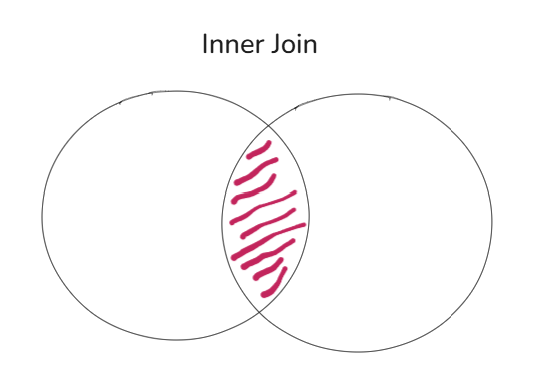
An inner join returns the records that have matching values in both tables. It is basically asking to only show the data that exists in both tables.
Using the example from above, if a customer exists in the customer table but hasn’t made any purchases in the sales table, they won’t appear in the data returned from the join.
This type of join is used when you are only concerned with matching data, and may want to exclude any incomplete records.
Left outer join
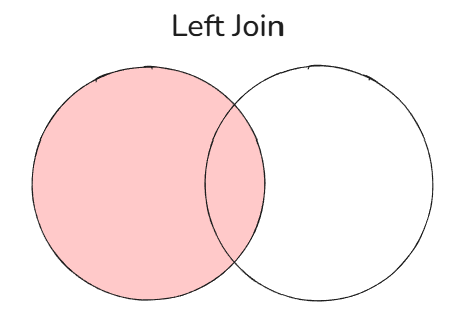
A left join returns all the records for the left table and only the matching records from the right table. So, it will only return matching records from the right table if they exist, otherwise it will return null for the values that do not match.
The left table in tableau is determined by whichever table is dragged into the view first, and the right table is the table that connects onto this first table.
For example, if you drag the customer table into the view, then left join the sales table, this will give you all customers, even if they haven’t made any purchases.
This join is used when your primary dataset is on the left, and you don't want to lose any records from that table.
Right outer join
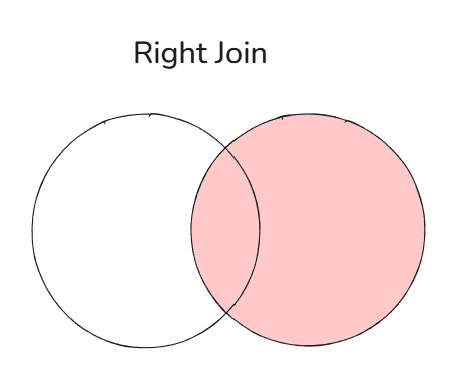
A right join is the opposite of a left join. It returns all records from the right table and matching records from the left table.
From the previous example, a right join would give us the opposite of the left join. It will give us all sales records, even if some customer records are missing. These missing customer records would show up as nulls.
This join is used when your primary dataset is on the right, and you want to preserve all records from that table.
Full outer join
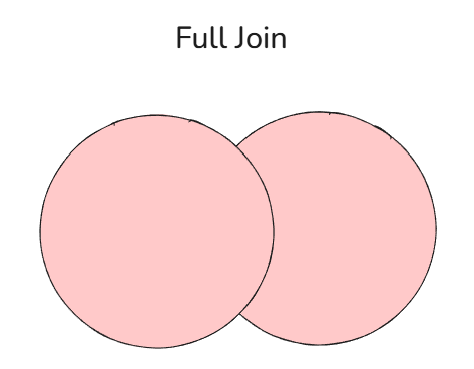
A full outer join returns all records from both tables, whether or not there’s a match. So, this join will show everything from both tables, and if there are no records matching on either side, null values will return on the missing side.
For example, customers with no sales will be included, and sales with missing customer information will also be included.
This join is used when you want a complete picture of the data with nothing excluded, and you may want to explore mismatches or data gaps.
Key Takeaways
Understanding joins is crucial for utilising multiple data sources in tableau. A few key tips for using joins:
Make sure you are always joining in the correct fields, and using the correct type of join, otherwise you could end up with duplicated or missing data.
Be mindful of duplicates - joins can multiply rows if there are multiple matching records, which can inflate metrics, such as sales totals.
Joins in tableau are done at the data source level, by combining two or more tables into one flat table. If you do not want the various data tables to appear in one final table, a relationship may be the better option. Relationships keep the tables separate and only combine them at query time. These are often better when working with complex or large datasets, as it avoids duplication issues.