


A macro is a workflow, or a group of tools built into a single tool to be inserted into another workflow. This permits to re-use a process and not rebuild it every time. Permits normalisation of data, solve problems, offers functionality that alteryx does not offer by default. These really make a difference in a business setting.
Some alteryx tools are actually macros! Such as data cleaning or date time now.
Commonly used macros are:
Standard - A workflow packaged up, data runs through and comes out at the end.
You can for example create a macro to convert and format currencies:
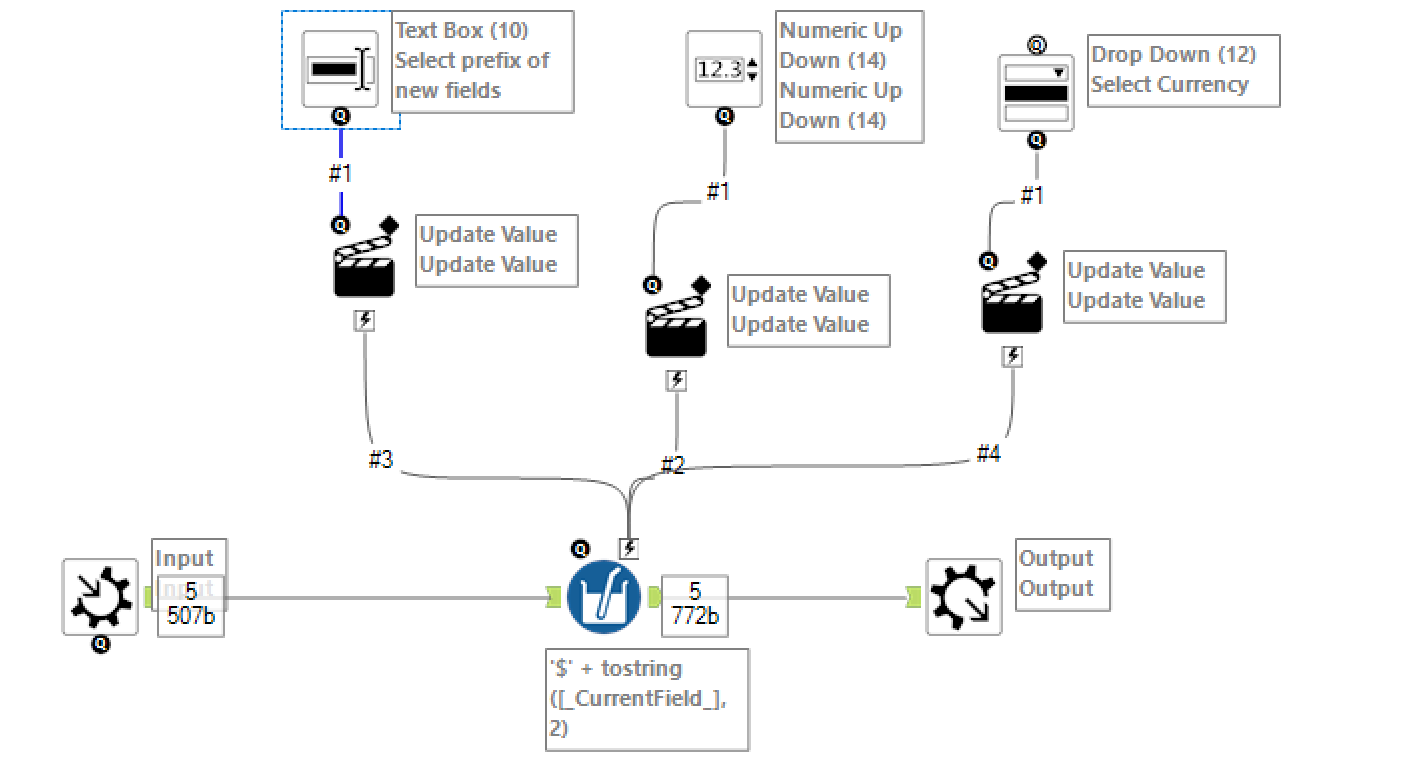
First we need a macro input, the easiest way to create this is to use a text input tool. We populate this text input with fields required for the macro to run. (Be careful, in certain cases you might need to use an interface tool to provide the macro with the field names) One you have your text input, right click and convert to macro input. This will give you a macro input with the example fields already built in. The next step is simply to create the workflow that you want to run in the macro. Then you can create a macro output simply by adding a macro output tool directly or using a browse tool, right click and convert to macro output. In this case we use a multi field formula like this:
'$' + tostring([CurrentField],2)
Then we need three interactions, first we use a text box action to change the suffix of the newly created fields. Second we add a numeric up down to change the 2 in the formula with any decimal places requested (0,1,2). Finally, we do a dropdown, manually filled with the currencies available. This is what this will look like, each time make sure you are only replacing what you want replaced!
Batch - Similar to for loop in many coding languages, you run multiple subsets of the data through a workflow. Can also run the same process but changing parameters. Batch macros use a control parameter. Here is an example:

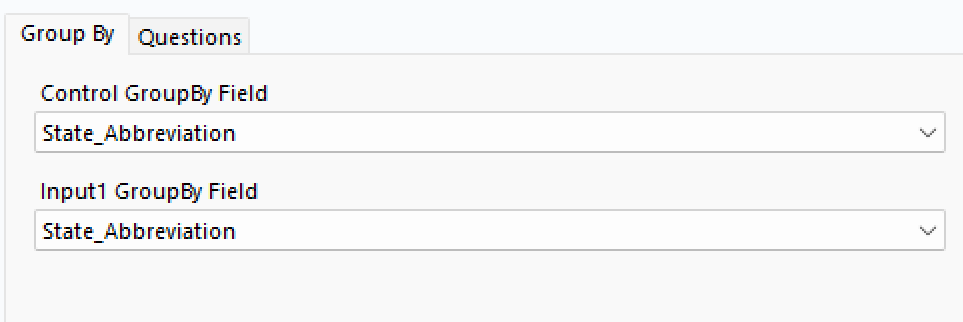
This macro applies state tax to a spend field. In here it runs for each state once so we will get 50 different results for each row. We therefore need to group! Luckily, when we put the macro in another workflow, thank to the controller, we get to group by. So we select the state abbreviation in the control and in the input, which allows us to add an invisible filter which will permit running the workflow present in the macro one group at a time. Therefore, you obtain only the result for the right group. For example, the macro will take the first state abbreviation from the control and then filter the input based on that state abbreviation. This will create a first batch of data that has gone through the macro. Then the macro will move to the second state abbreviation and create a second batch. This ends with the batch macro unioning all those together to create its final output.
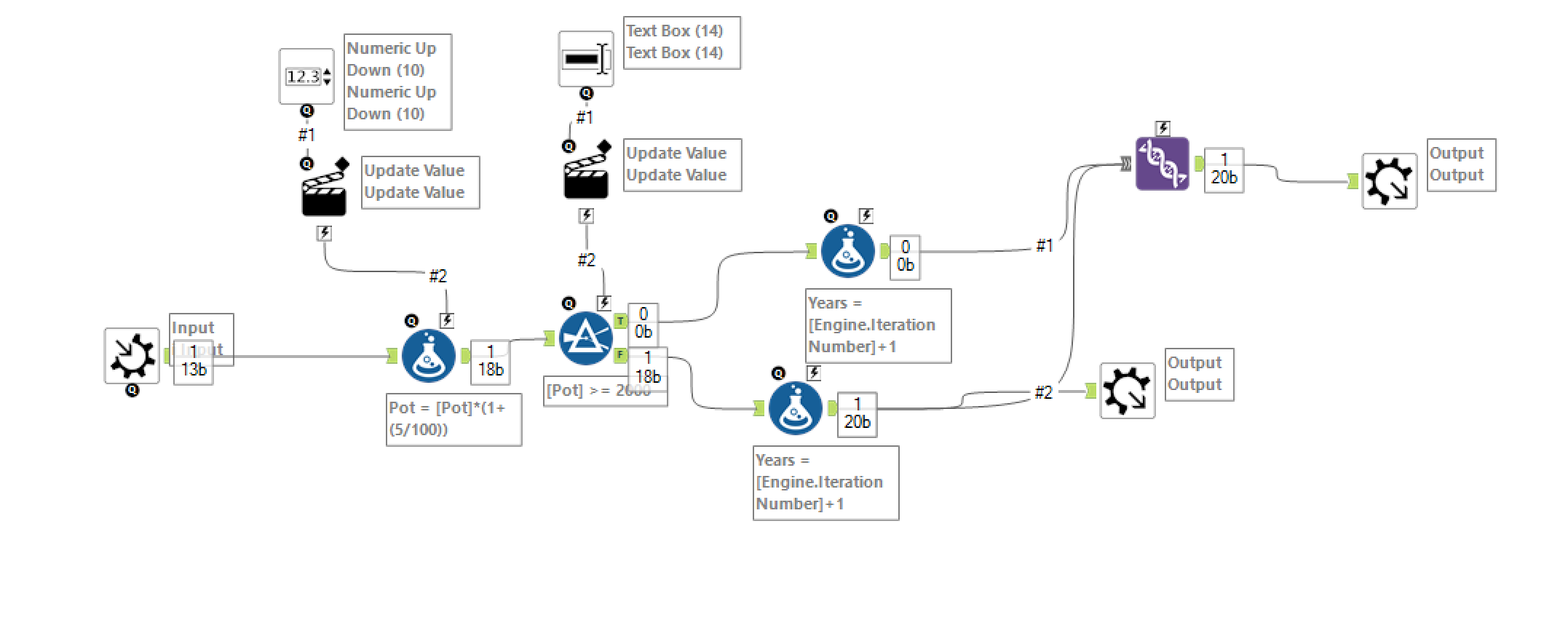
Iterative macros - Similar to while in other coding languages, you run a workflow until something specific happens. To create an iterative macro, you will need two macro outputs and one input. First, in the workflow configuration pain set it to iterative.

Then in the interface designer window select your iterative macro input and iterative output.

Once this is done you need to decide what is the event that stops the iterations. You can then have a filter tool where when this event happens you go to your final output, while if it's false you can just link it to the iterative output. A tip to have all iterations in your final output is simply to union both branches of the filter tool and put the output in your non-iterative output. Such as in this example:
I hope this helps you all understand macros in Alteryx!