


Data School training focuses on two main analytical programs: Tableau and Alteryx. Until several weeks into training, I had gotten a lot of experience with Tableau (including the application process) but none with Alteryx. Its interface is similar to the data preparation software packaged with Tableau, Tableau Prep, but it is far more powerful and expansive in its capabilities.
We first encountered Alteryx on February 5th, about one month into training, starting from the absolute basics before building up to some more intermediate skills. Along the way, I passed the test required to become Alteryx Designer Core Certified, and I am now preparing to teach a 90 minute session titled "Alteryx 101" at our cohort's Learn What the Data School Learns sessions on Thursday, March 5th (sign up at https://www.eventbrite.co.uk/e/learn-what-the-data-school-learns-tickets-1982801356232?). It has been a whirlwind going from novice-level to instructor-level in only one month, so I want to share some of the most important insights I have picked up, as well as general strategies for being successful in your early days of Alteryx.
1. Remember to Run Your Flows
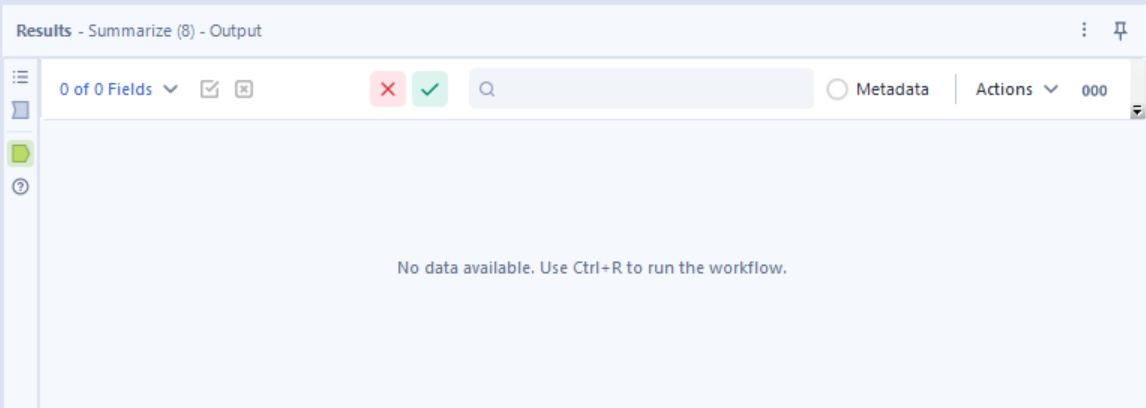
In Tableau Prep, every time an update is made to your data flow the entire thing is automatically ran and updated. For a software like alteryx, capable of handling massive datasets and running automation processes like API calls, automatic run-throughs are not as feasible. Instead, the responsibility is placed on the user. I became very familiar with the screen below, as well as the CTRL + R command to make sure that I was always viewing a completed version of the flow I just built.
2. Take Advantage of the Search Bar
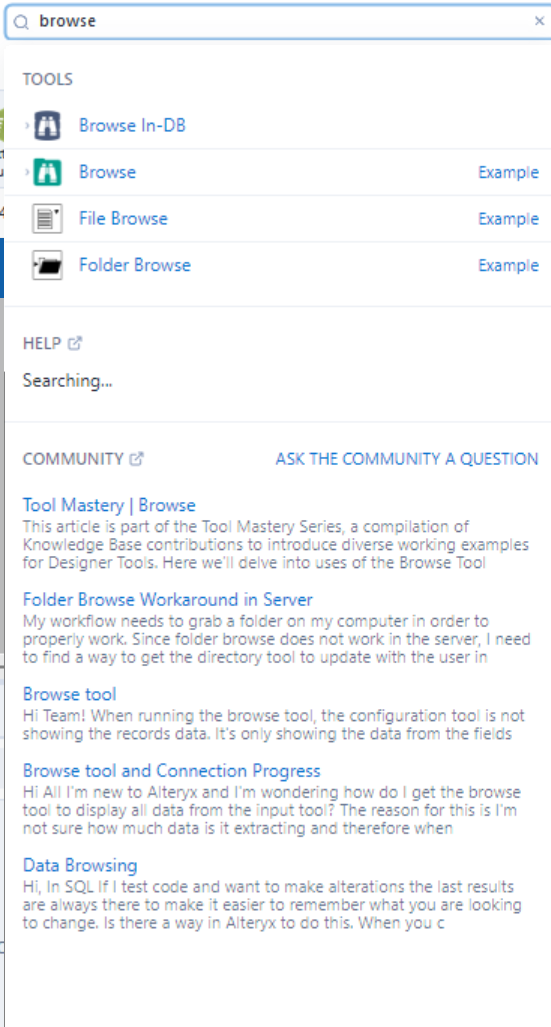
Although it hides in the very top corner of the screen, the search bar can be extremely useful for a new user of Alteryx. The tools in the tool palette are organized into different families of tools, such as In/Out, Preparation, and Transform. Aside from the handy Favorites (a customizeable list of your own favorite tools) and Recommended (an automatically generated list of potentially useful tools) sections, most new users, including myself, tend to rely on randomly clicking through families to find the tool you are looking for. Instead, the search bar lets you find a tool by searching its name and drag it directly onto the canvas, as you would from the tool palette. This has saved me a lot of time and helped me learn which families different tools belong to.

3. Get Involved With The Community
The Alteryx community is robust and has a lot of documentation available. Links to the community pop up whenever you search something (building on my previous tip). You can also find the community at https://community.alteryx.com/. A great way to practice your Alteryx skills is by participating in the Alteryx weekly challenges, of which there have now been 500. You can find them here, and once you've solved one (or many!) you can post your solution onto the forum and see other users' solutions to the challenges. It is a great way to hone your skills, expand the list of tools you're familiar with, and practice problem-solving using Alteryx.
It has been really surreal turning around from Day 1 student to the person in front of the room training Day 1 students, but I have had an extremely strong foundation built by the Data School program. I built up from the basics to get a strong foundation in Alteryx, gave the same amount of care to intermediate topics, then I have returned at length to the beginning topics to prepare a session teaching Alteryx 101 to beginners. I am excited to teach Alteryx for the first time on March 5th!