


LODs are essentially a Tableau "superpower." They give you the ability to calculate data at a different level of detail than the one you are currently looking at.
When deciding whether to use an LOD, I always ask myself: "Do I want to keep my viz as it is, but 'sneak in' a calculation from a different level of detail?". Conceptually, an LOD acts like a background Group By and Join, allowing you to attach aggregated constants directly to your original, detailed rows.
While there are three types of LODs in Tableau Desktop, the FIXED LOD is the most commonly used (and the only one available in Tableau Prep). It "fixes" its focus on the specific dimensions you choose, ignoring all other fields in your flow or view.
The Syntax:
{FIXED [Dimension] : AGG([Measure])}
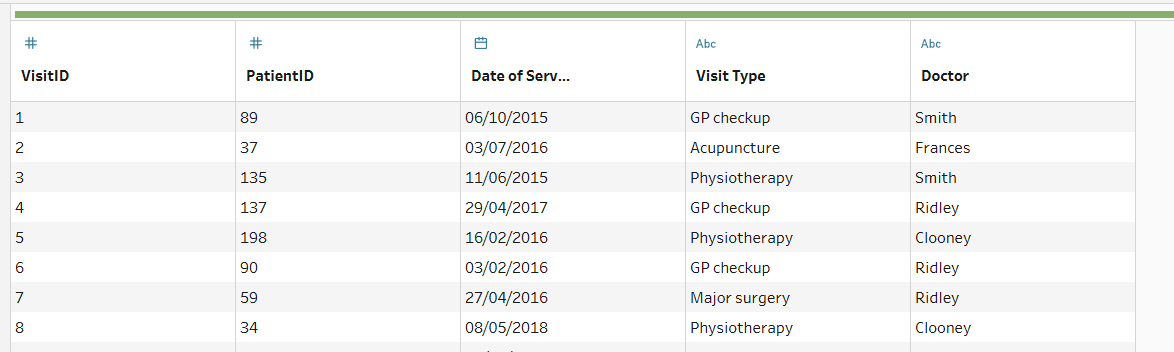
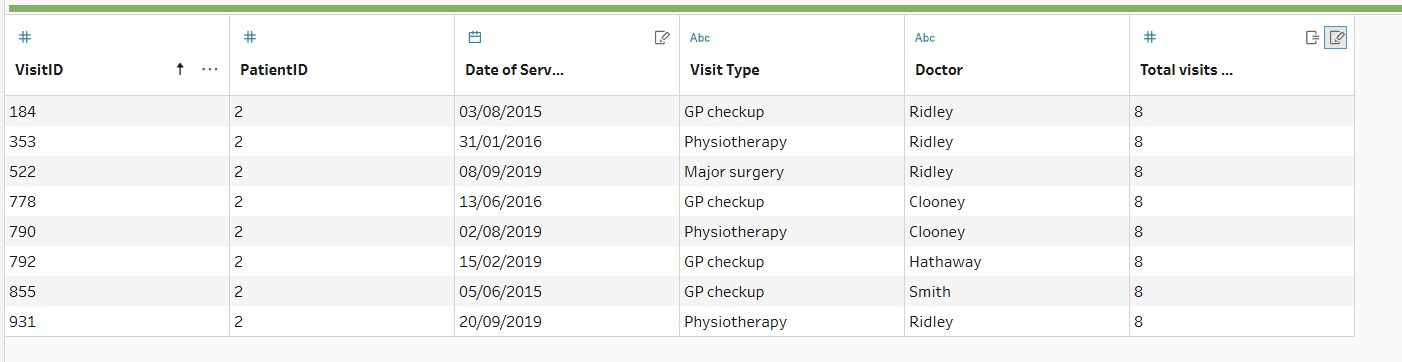
For example, from the dataset below you need to find the total number of visits per patient, but you want to keep every individual visit record visible. A standard aggregation would collapse your data, losing the individual visit details. This is where the FIXED LOD comes into action.
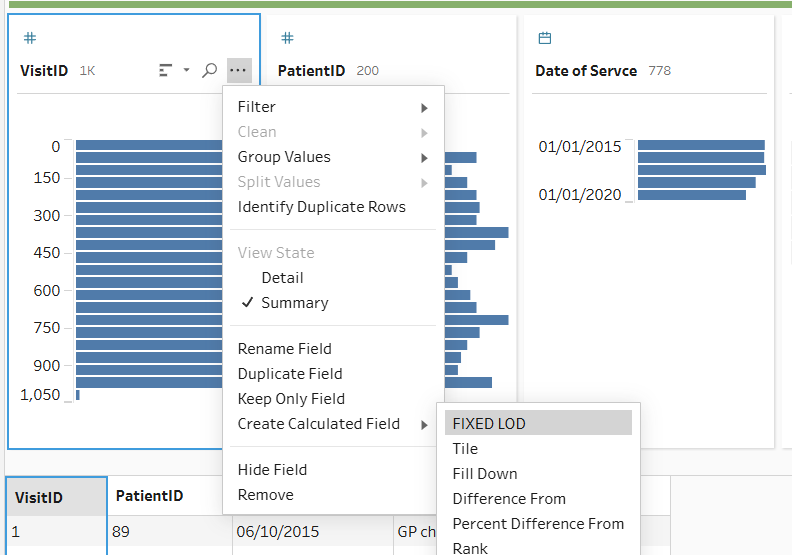
Step 1: In Tableau Prep, you don't even have to write the code from scratch. You can right-click your VisitID field and select Create Calculated Field > Fixed LOD.
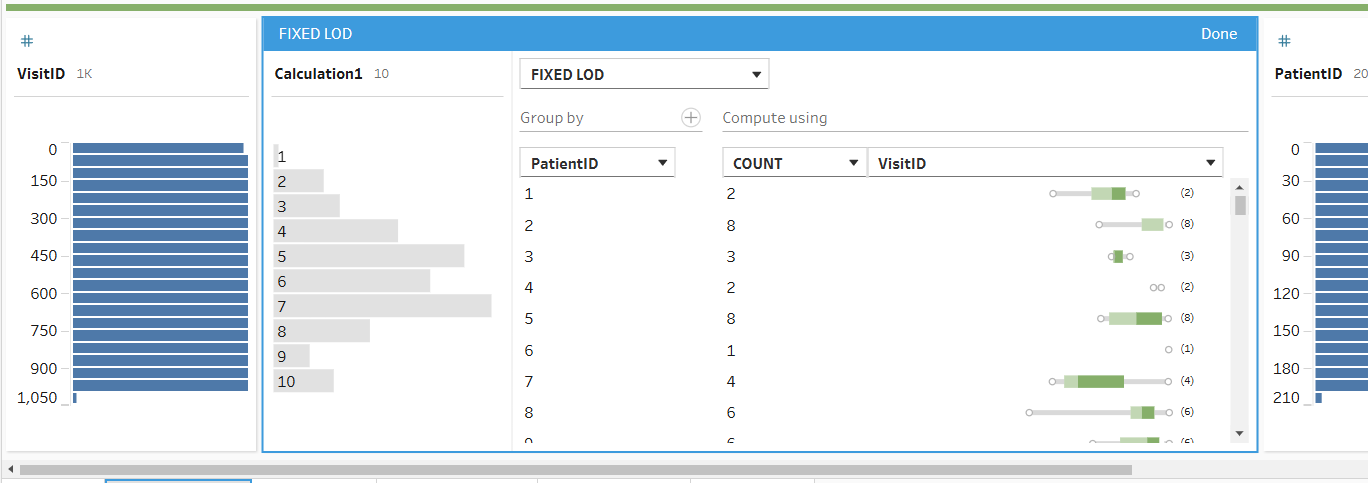
Step 2: Prep opens an intuitive visual editor. Here, you select the dimension you want to group by (PatientID) and the measure you want to aggregate. To find the total visits, we set the calculation to COUNT or COUNTD of the VisitID.
Step 3: The end product is a new field appended to your dataset. Every row belonging to "Patient 89" will now have a constant value (e.g., "6") in this new column, representing their total visit count, even though the rows still show six different visit dates and types.
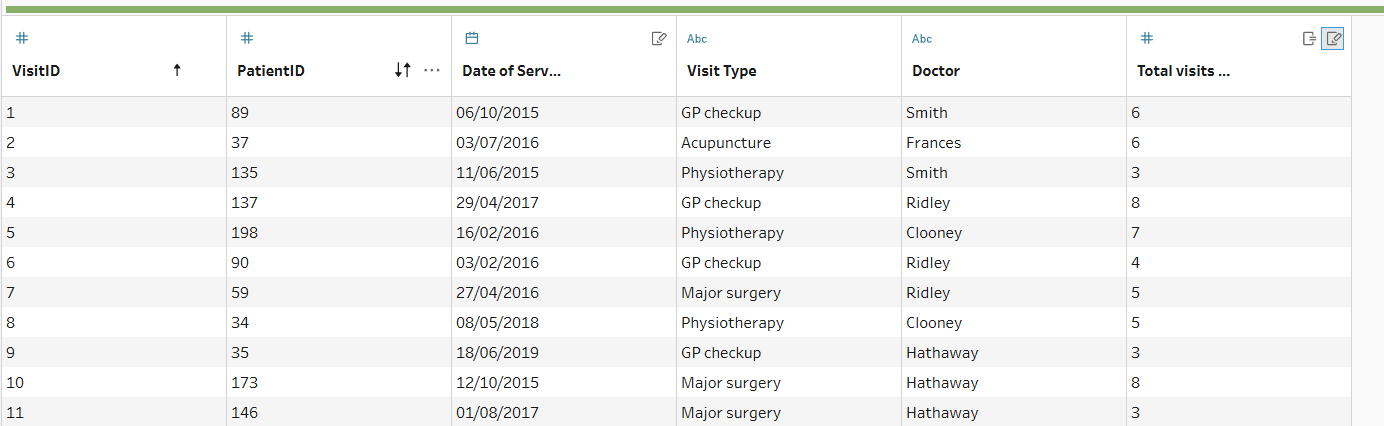
Step 4: You can easily verify your work in Prep’s profile pane. By selecting a specific PatientID, you can confirm that the value in your new LOD field matches the actual count of individual records for that patient.
Summary
LODs provide the structural integrity needed to ensure your insights are both accurate and scalable. In short: if you need to compare the "part" to the "whole" without losing the details in between, the FIXED LOD is your ultimate tool.