


We're getting into some data engineering topics this week, and something that stuck out to me within data structure types is data lakes. I was very curious how this data actually looks when using a software such as AWS. In this blog I hope to help understand what a data lake is and examples of what it looks like within data storage.
Data Lakes: Types of Data They Store
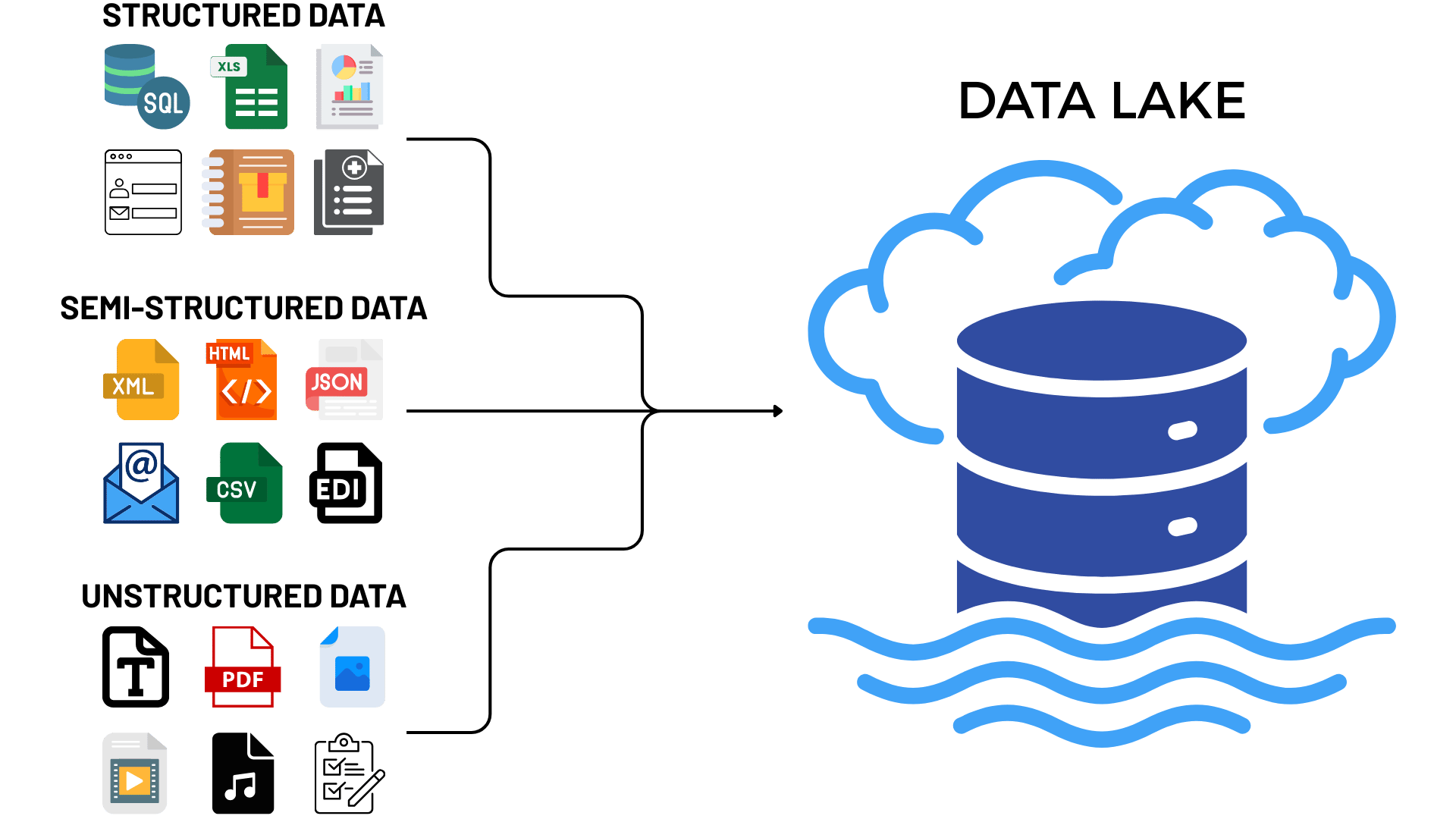
While data warehouses store structured data with schemas and tables, data lakes are used to store all types of data in their raw formats, as-is, and only apply structure or schemas when the data is queried (aka 'Schema-on-Read'). This raw data in a data lake could be anything from a JSON file to a video. Here's a chart of the types of data based on structure:
Structured Data
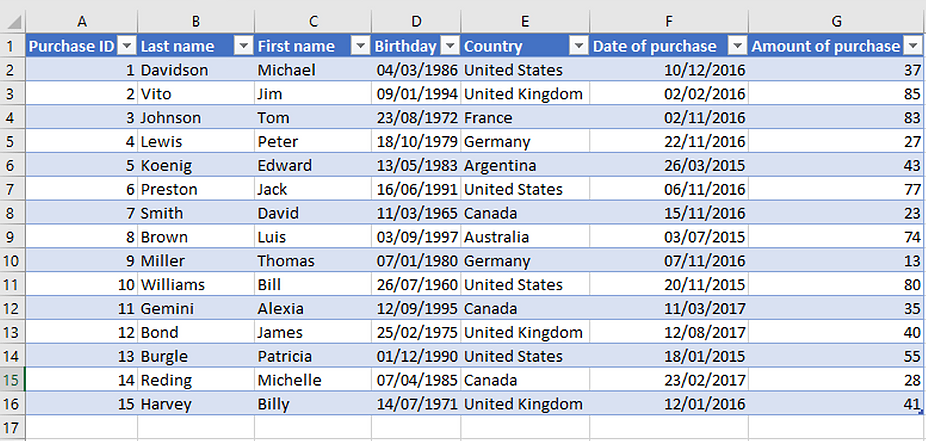
Some unstructured data examples could be data coming from a SQL database or an excel file. This is data in its most familiar form - a table with rows and columns and an established schema, as shown below.
Semi-Structured Data
Semi-structured data can include HTML or even an email. This data doesn't have a rigid, predefined tabular structure like structured data would, but still includes tags, markers, or metadata to group elements and build hierarchies. Below is an example of XML that would be considered semi-structured data.
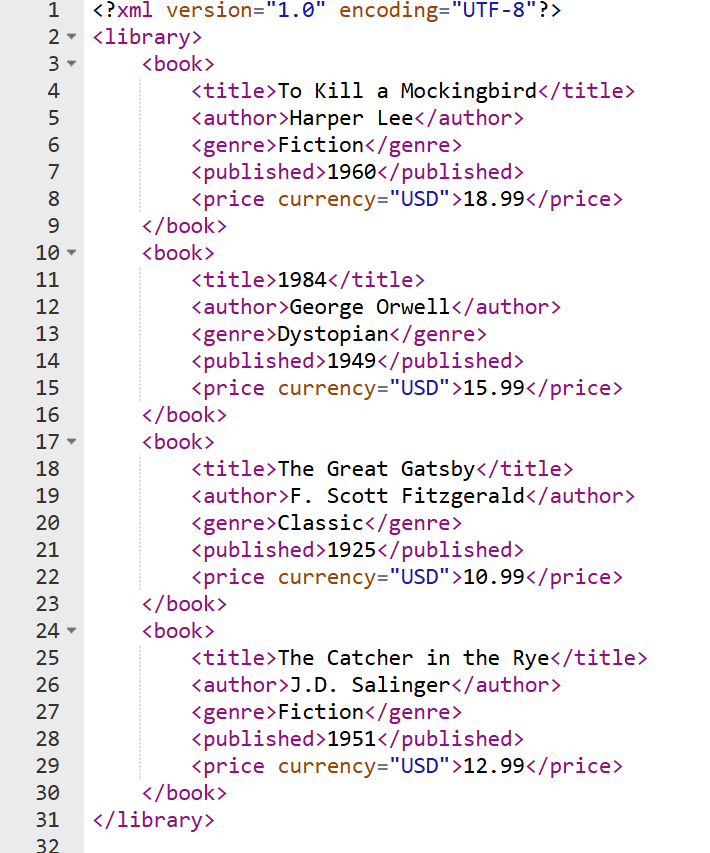
While it's not a table, it does still have tags which act as 'headers' next to the values, so it could be organized and interpreted for future use.
Unstructured Data
Unstructured data could be a PDF, an image, or an audio file. These data types are stored as is in their respective formats in bytes in a data storage platform. But how are all these data types actually stored within this lake?
How This Data is Stored Within A Data Lake
All these different data types can be stored in the same place. Cloud object stores (AWS S3, Google Cloud Storage, Azure Blob/ADLS Gen2, or self-hosted ones like MinIO) don't work like folders on your laptop. Each file is an object. It's a blob of bytes plus a key (its full path as a string) and some metadata in one flat list.
A key looks something like raw/orders/2026/10/19/orders_0001.json. It looks like a file path, but there aren’t any nested folders underneath. The “folders” you see when you click around in a console like S3 are just shared prefixes on those keys, a naming trick that makes the list easier to browse.
Example of a Data Lake
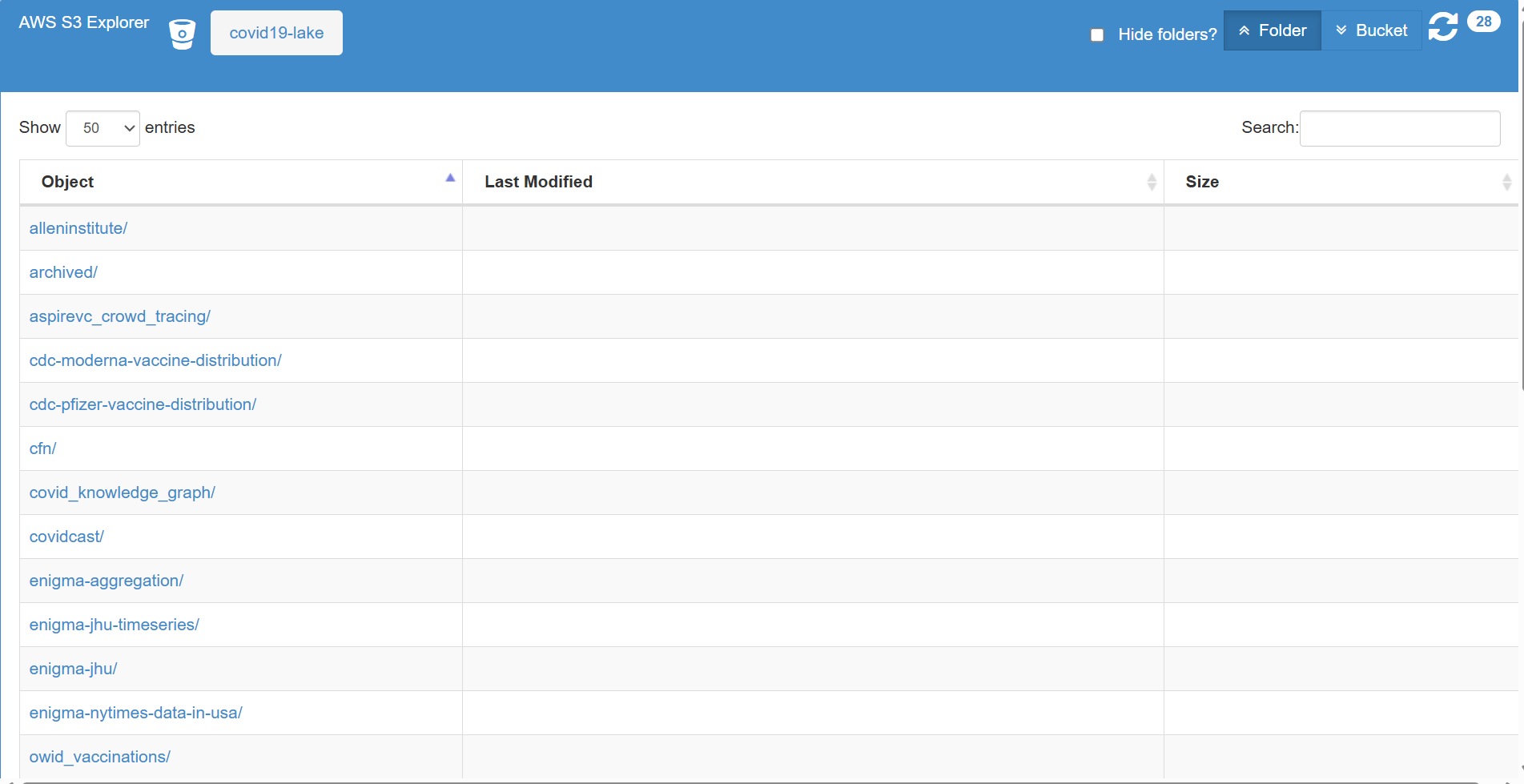
This is an example of a public data lake on Covid-19 available on AWS S3. All these unrelated objects sit together in one bucket called 'covid19-lake'. There's no agreed upon shared structure before dropping this data in. These folder rows have no date or size because they're just shared prefixes on the keys stored in this bucket, not actual objects.
To get to actual objects, in this case in the form of JSON files, it took several clicks. Each click was going one level deeper into the prefix. For this example I chose to go through the 'alleninstitute' prefix. I clicked through 'CORD19', 'json', then 'metadata' and got to the folder below. The final path is one long key that ends in that JSON file, like <source-folder>/.../data/part-00000-....json
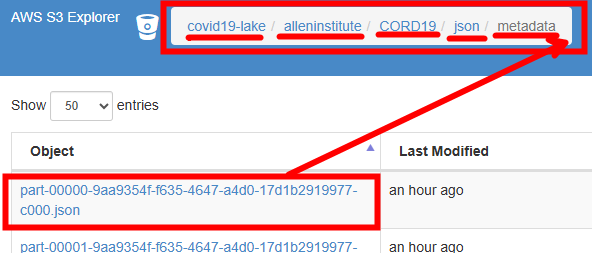
The path at the top gets the JSON file appended to it, and that's the key for that data. This is semi-structured data, and here's what the file looks like:
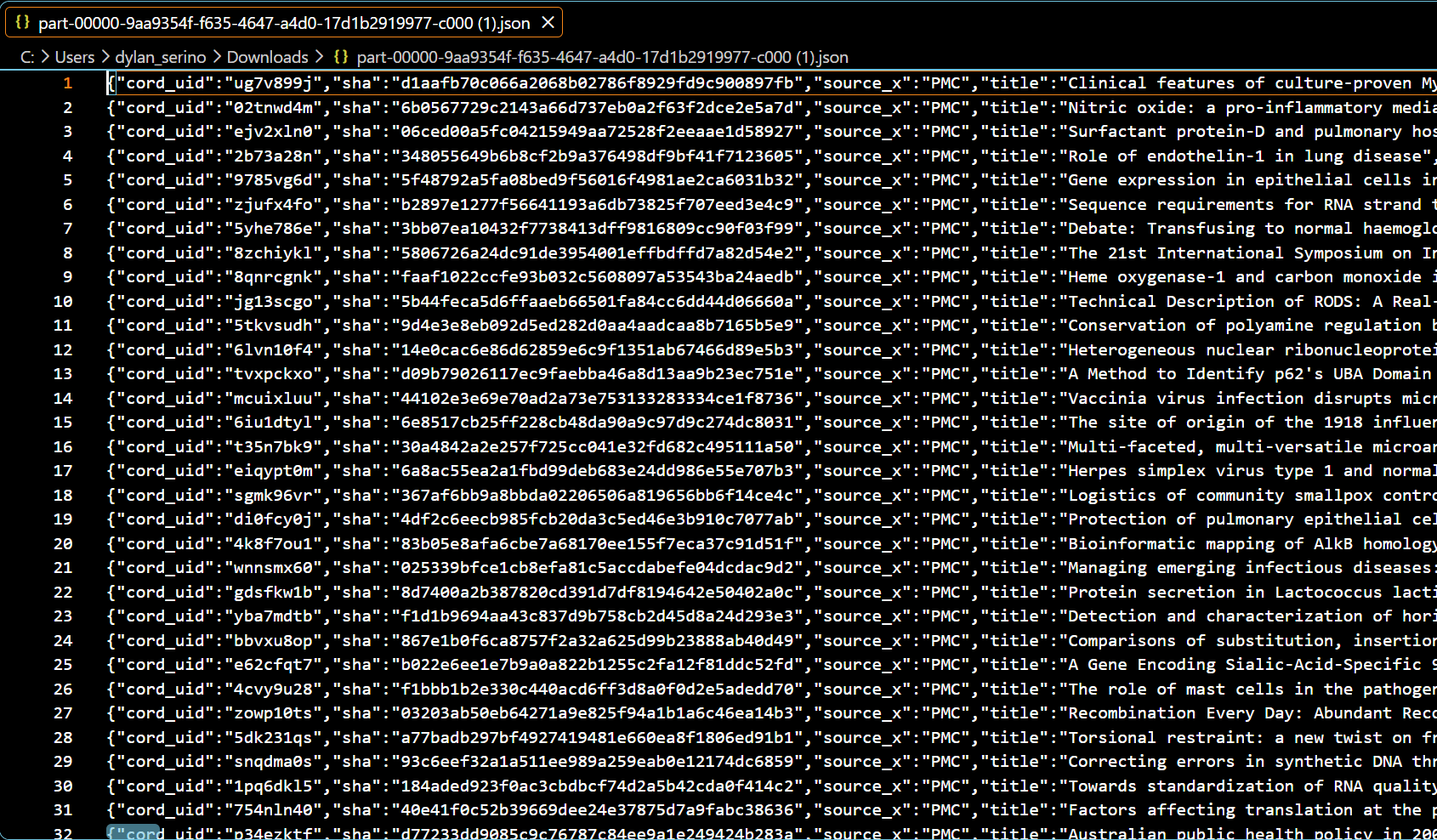
No table, schema or columns visible. To know the schema, you'd have to query it.
Storing everything this way, as-is, makes it cheap and flexible for a business. A JSON file, a recording, and a PDF can all sit together in one spot. Hopefully this helped you learn what a data lake is, since I definitely learned a lot too!