


In Tableau, a rank functions as a table calc, which is calculated solely based on what's brought into the view. If we have 20 states in the view, Tableau will give each of those states a rank, but if we filter our data down to one single state, Tableau won't remember the other 19 states because they're no longer in the view. We'll therefore always see a rank of 1 regardless of that state's performance compared to all other states.
Let's take the example below, where we see profit ranked by region. Note that South is ranked 3rd.
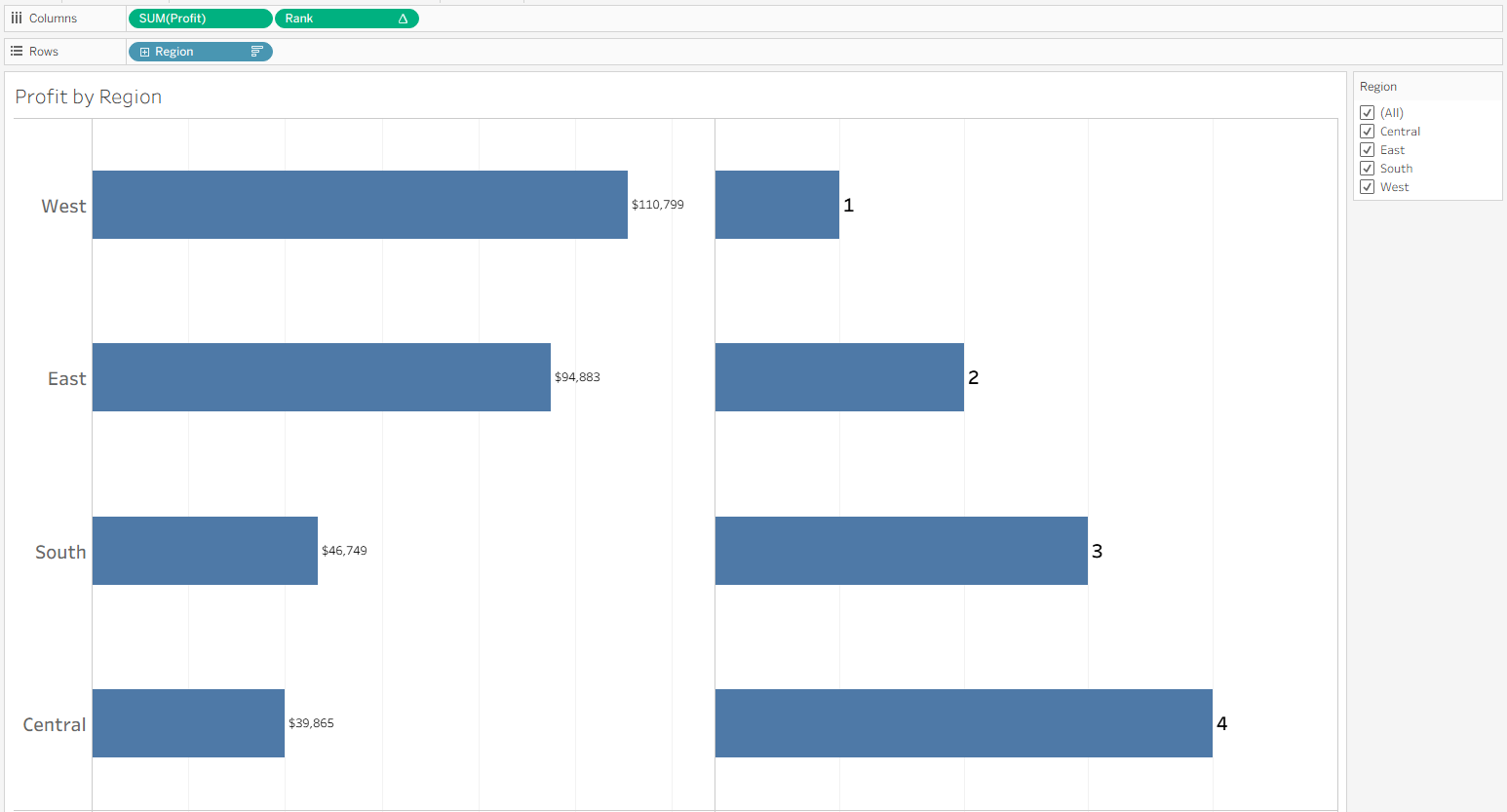
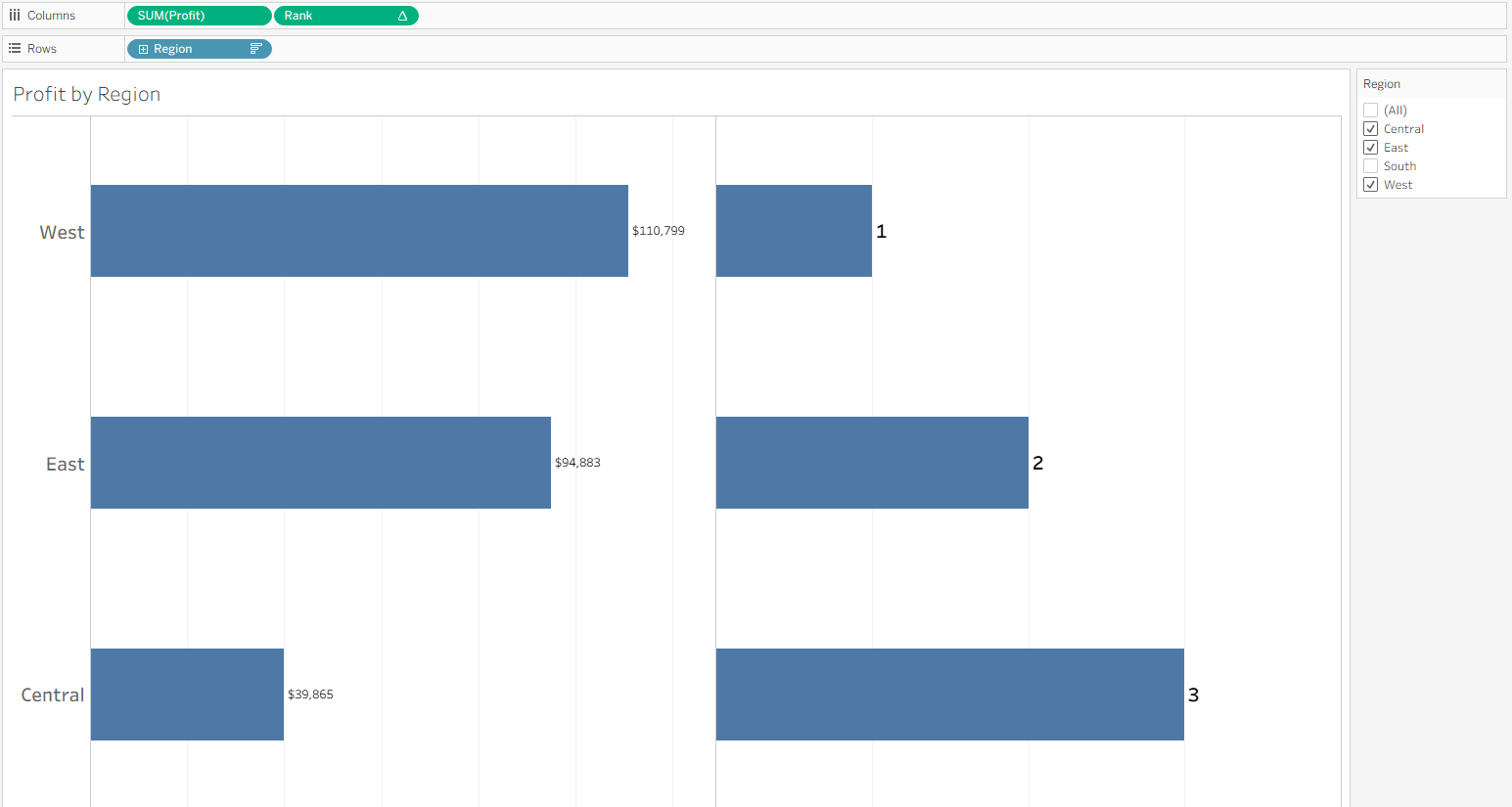
If we remove South using the filter on the right, Central is moved to 3rd place because Tableau recomputes rank without South in the view, meaning we lose important information about the greater context:
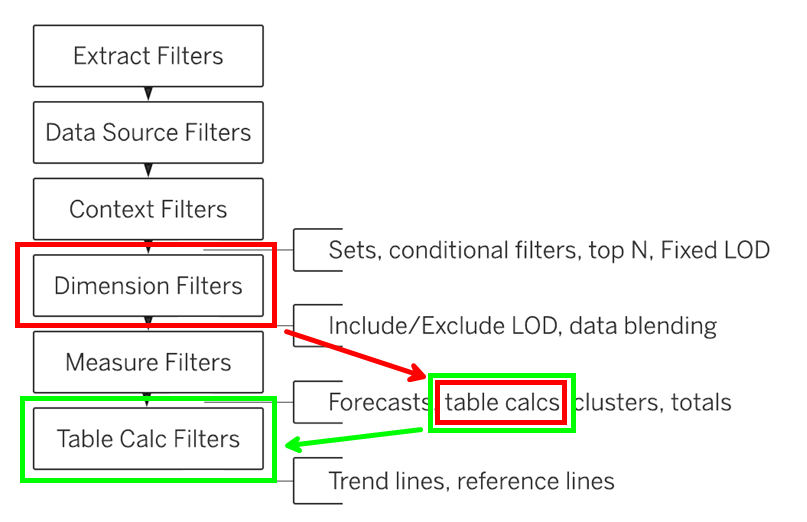
We see this explained in the image below, which shows Tableau's order of operations. In red, we see our roadblock: dimension filters (region, in our example) are processed before table calcs (rank, in our example). In green, we see our solution for circumventing this: tell Tableau to compute rank and subsequently filter out regions from the view.
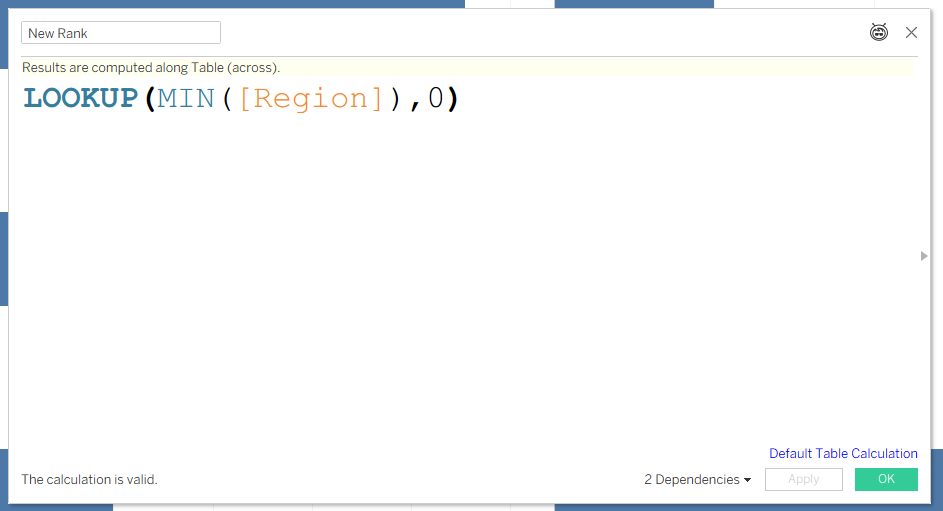
Our one-calc solution looks like this:
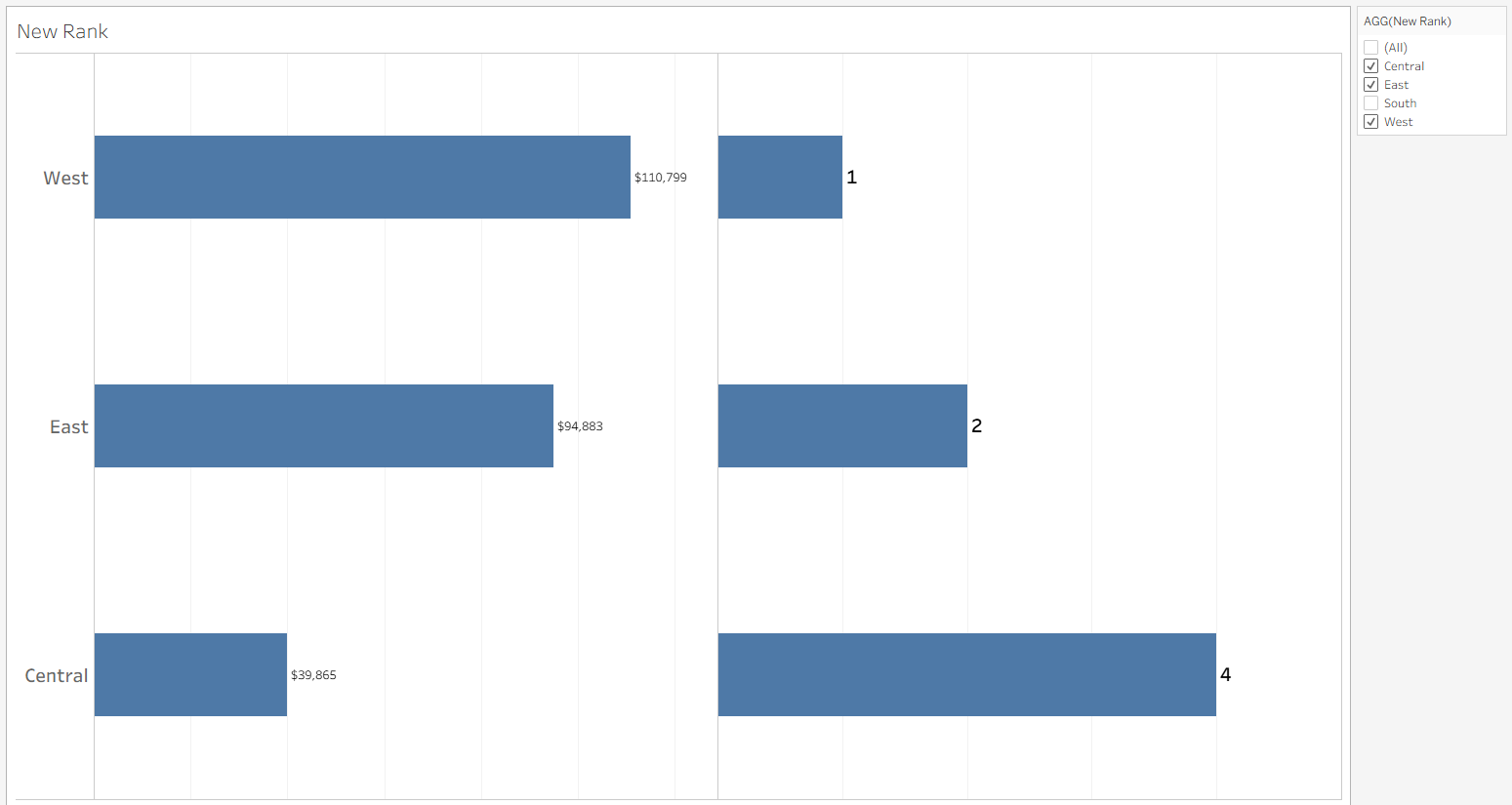
Now when I remove South from the view, we see ranks 1, 2, and 4, meaning our context of South's rank is maintained.
This trick has important caveats as the rank function will always compute as a table calc. This new rank functionality will break if your worksheet or dashboard uses anything above table calcs in Tableau's order of operations (e.g., context/dimension/measure filters). To preserve rank while filtering, you're safe to add more filters as long as they're implemented as table calc filters.
There you have it! Always important to give credit where it's due, so thanks to Darpan Bajaj for being my resource when I was figuring this out: https://www.youtube.com/watch?v=BlUXs9u51NI