


Even though I've been working on getting better at documenting consistently, I'm always on the lookout for ways to do so more efficiently and effectively. Recently, I came across a great way to document your data fields and calculated fields within Tableau itself.
If you've ever had users not understand the purpose of calculated fields you've methodically created, or the definitions of data fields within a dashboard you've handed over, this is for you.
Let's say I want to document the fields for this dashboard I'm building. I want to have an explanation for my Sales Value Diff from Last Year calculated field. You can include that right in Tableau with a comment.
To create a comment, right click on the field you wish to comment, navigate to Default Properties and select Comment...
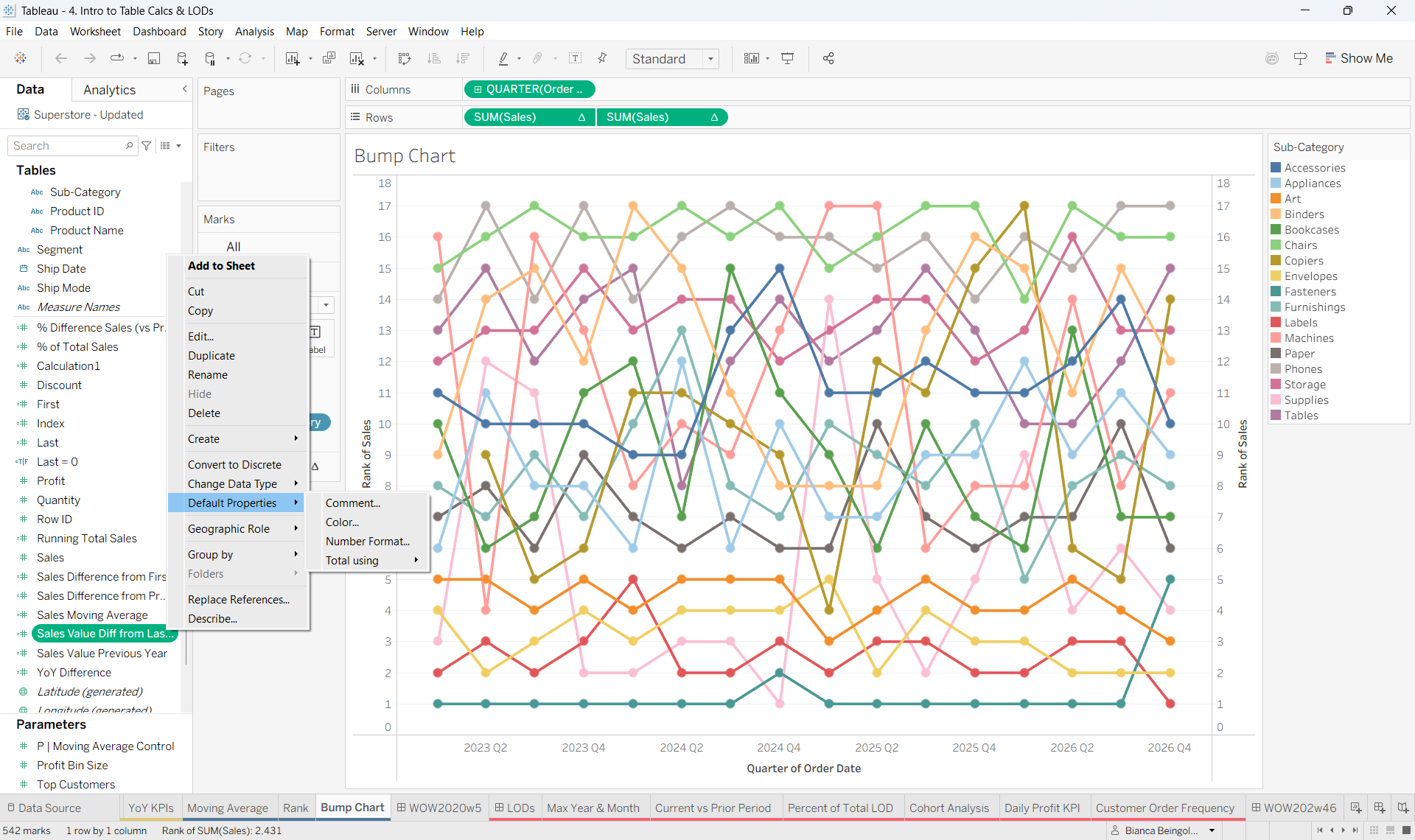
From there, write the explanation for your field, including any examples, notes, dependencies, etc. You can also do this for fields native to the data in your dashboard; you might want to include data types, example values, etc. Comments can even be created for parameters!
Once you've created your comments, they will pop up instantly upon hovering over any commented field.
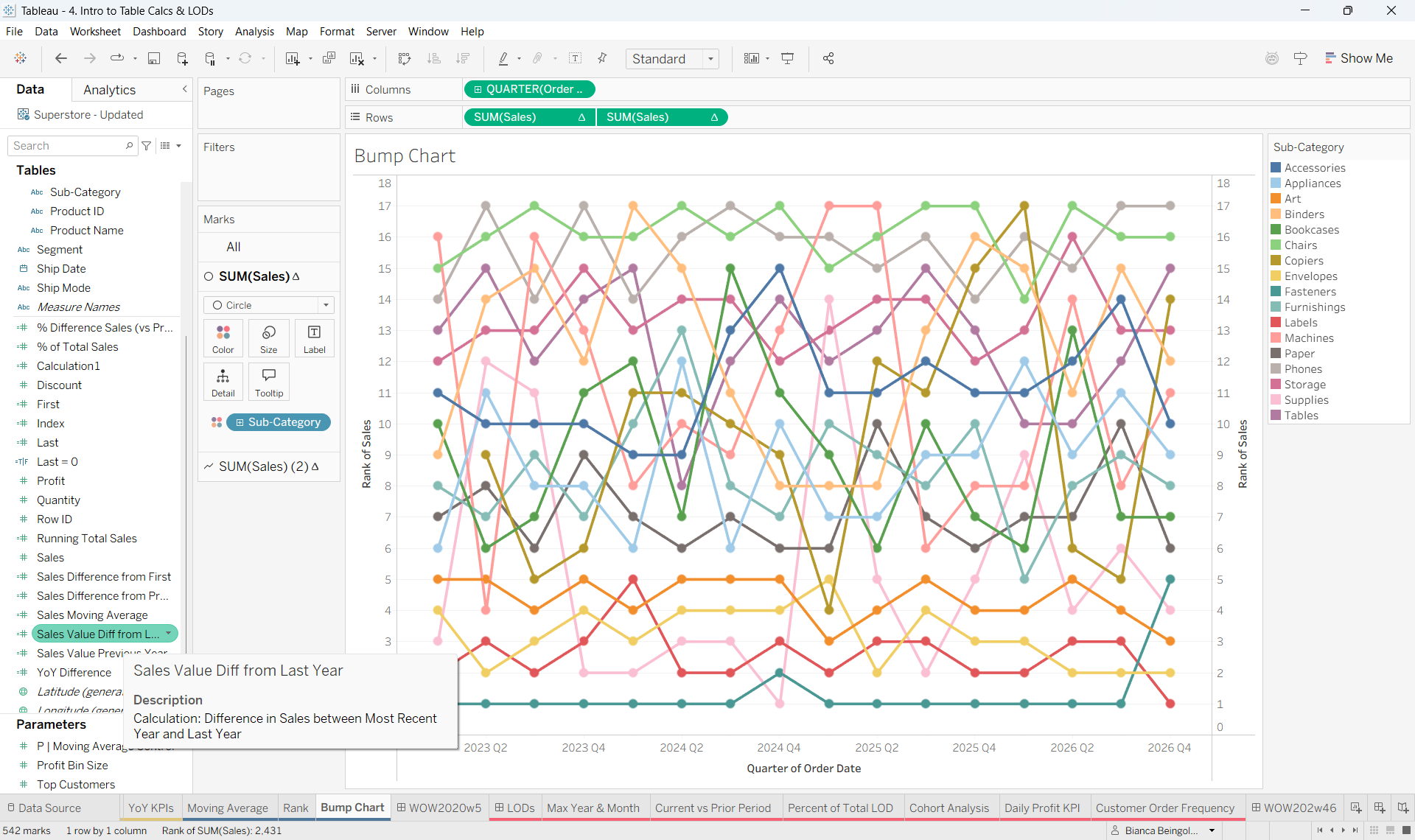
Instead of spending your time answering questions about your data/calculated fields that are probably in your documentation or data dictionary, you can embed field definitions directly into the Tableau interface!
Comments should not be treated as a replacement to detailed data dictionaries or methodically annotated calculated fields, but rather as an accessible complement to thorough documentation.