


If you use Alteryx regularly, odds are that you have a collection of formulas that you keep top-of-mind: multi-line IF/THEN blocks, complex REGEX expressions, specific date parsing calculations, etc. You might have these saved on a sticky note or even in a Google Doc; maybe you open an old workflow and hunt down the Formula tool every time you need them.
There is a much cleaner way to store and reuse Formula expressions, and it is built straight into Alteryx Designer.
The "Save Formula" Hack
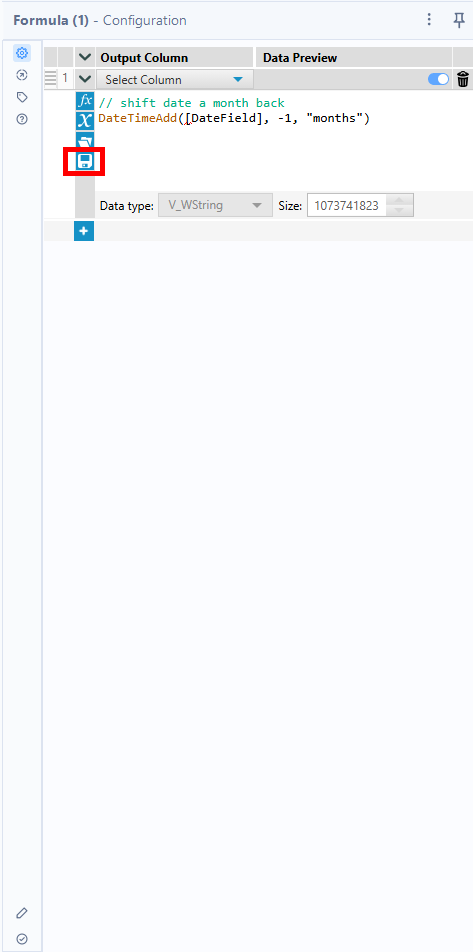
Inside the Formula Tool configuration window, look closely at the top toolbar above your expression canvas. Sitting right below the function dropdown (fx) is a small Disk Icon. With it, you can save expressions directly to your Alteryx workflow.
Here's how to use it:
- Write & Test: Get your complex expression working cleanly inside the Formula tool.
- Save It: Click the Disk Icon in the formula configuration panel.
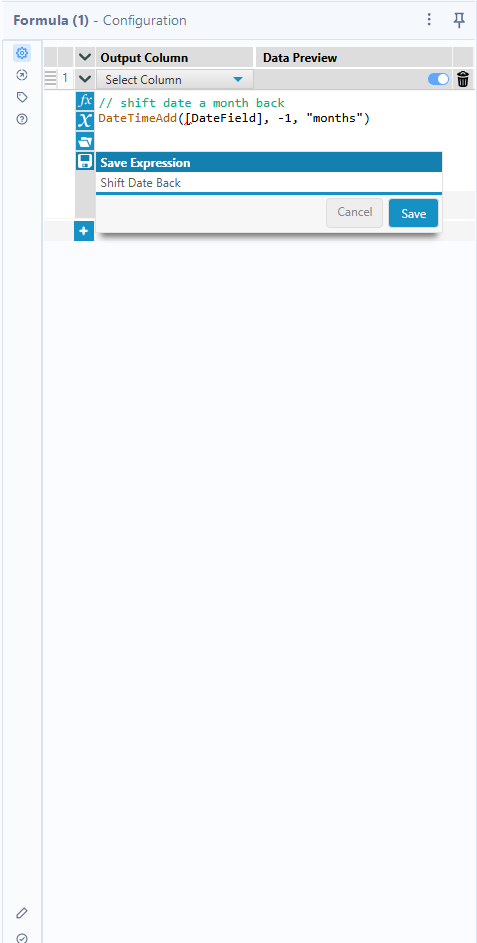
- Name It: Give your expression a clear, searchable title.
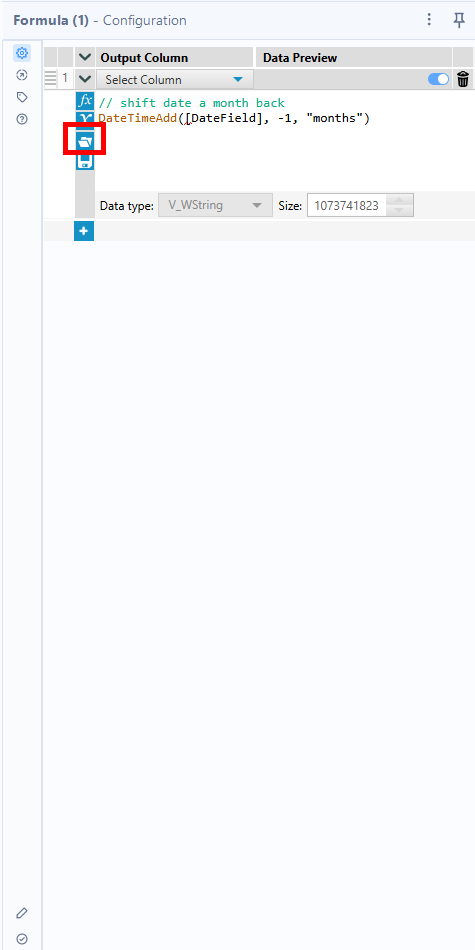
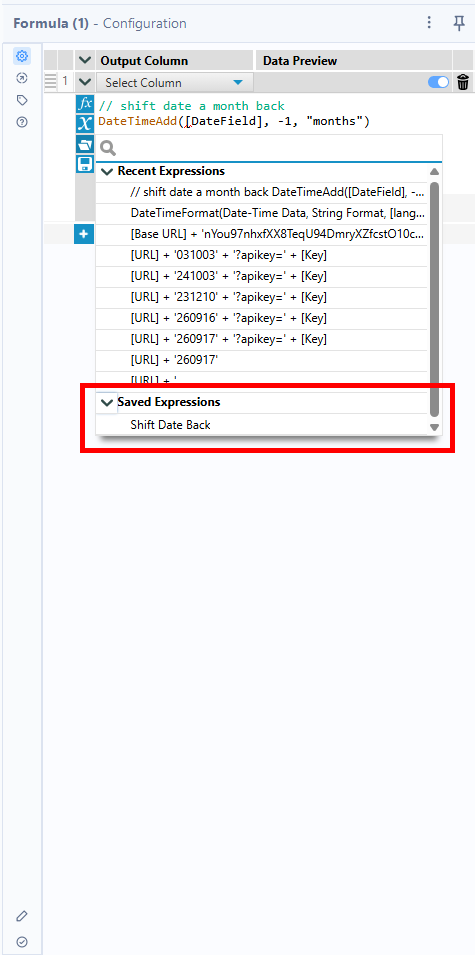
- Reuse Anywhere: In any future workflow, open the Formula tool, click the Folder Icon next to the disk, and select your saved expression. Alteryx inserts the full logic instantly.
Saving expressions will help maintain consistency and accelerate your workflow. It also reduces the possibility of syntax errors.
Stop digging through old workflows for logic you’ve already written. Save it once, use it everywhere, and keep your workflow moving forward!